Rollerdor RD55 and RD77 Roller Garage Door User Guide
BATTERY REPLACEMENT
1
Remote control fobs
2
Remove the three screws in the back of the handset, turn the handset over and remove the front of the handset.
3
Remove the silver collar and take out the insides to allow access to the battery.
4
Replace battery with new one (CR2032).
5
Carefully replace the front and screw back together.
6
Test handset on door, the red LED should come on.
2
1
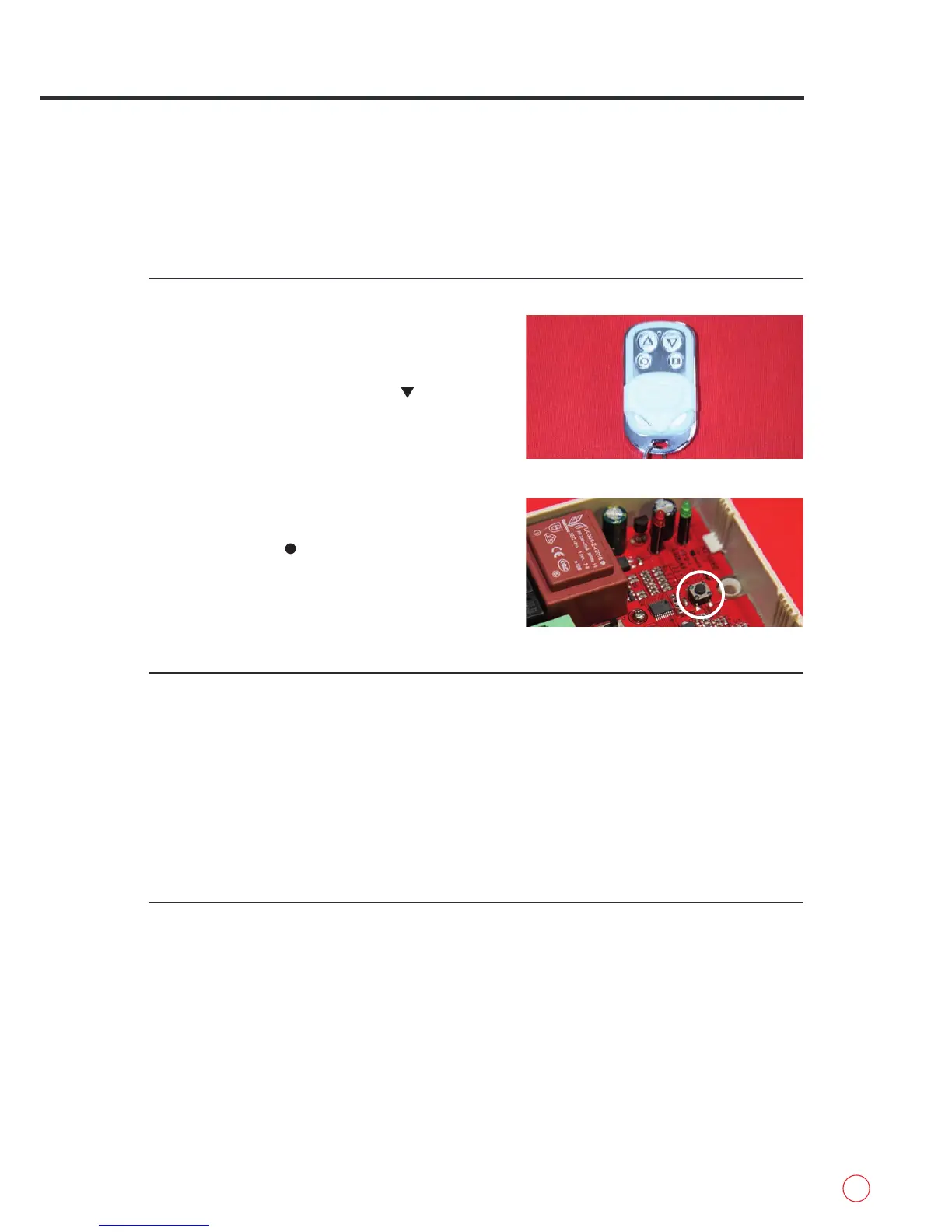
Slide the white cover down on the remote control
handset and you will see there are four buttons
(fig 2.1).
2
Press and hold the top right button ( ), if the door
moves then the handset is already programmed in.
Repeat with all other handsets.
3
If not programmed then press and release the black
programming button located at the top middle of the
receiver box (fig.2.2). The green LED will start to ash.
4
Press and hold the bottom left programming button
on the handset ( ). The green LED will flash faster
and go out.
5
Test handset by pressing either direction, the barrel
should move. Repeat with all other handsets that
need programming.
fig.2.1
DELETING REMOTE CONTROL HANDSET’S MEMORY
1
Press and release the black programming button and the green LED will start to flash (fig.2.2).
2
Press and hold the black programming button again and the green LED will start to flash faster. When
this happens, release and press again one more time, the green LED will go out.
3
Test to see if remote operates door.
fig.2.2
PROGRAMMING REMOTE
CONTROL HANDSETS AND
PUSH BUTTON
(HOLD TO RUN)


 To Next Page