3
Battery Troubleshooting: How to Access and
Check the Battery
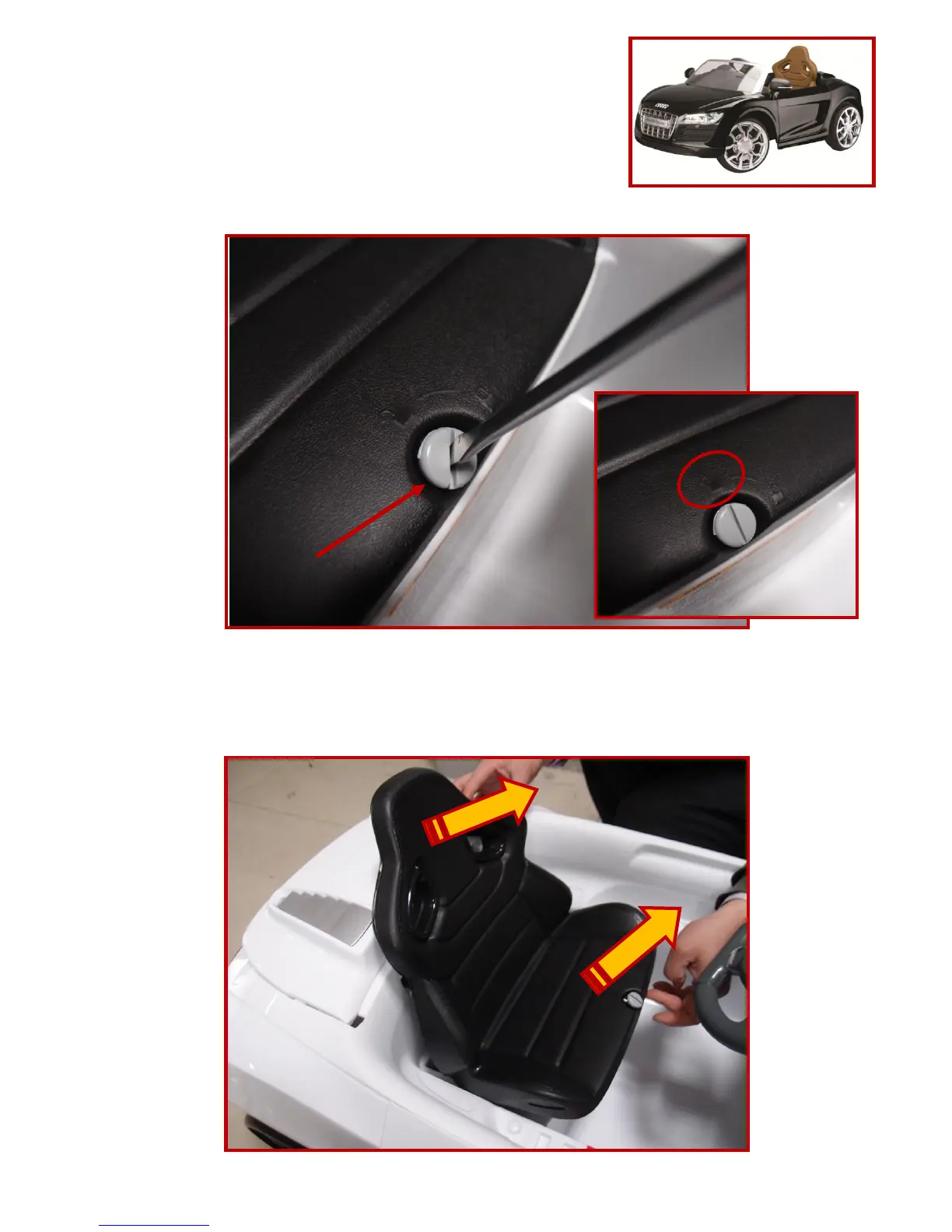
1. Use a flat head screwdriver to unlock the seat
2. Lift the seat from the bottom to remove
3. Locate the battery, and unplug the red connectors
4. Use a volt meter to check the battery. See page 5 for volt reading tips
Step (1)
Unlock position
Turn and unlock this plastic knob
Step (2)
Lift the seat from bottom edge
then remove at headrest













 To Next Page