ROPE INNOVATION CO., LTD. CONFIDENTIAL NO.
:
ROPE-15121802
Copyright © 2017 ROPE INNOVATION CO., LTD. All rights reserved. Website: www.ropetrack.com
4. Web based tracking online activation
4.1 Open website www.overseetracking.com and login with the user & password that created by Rope
4.2 Click Information Management
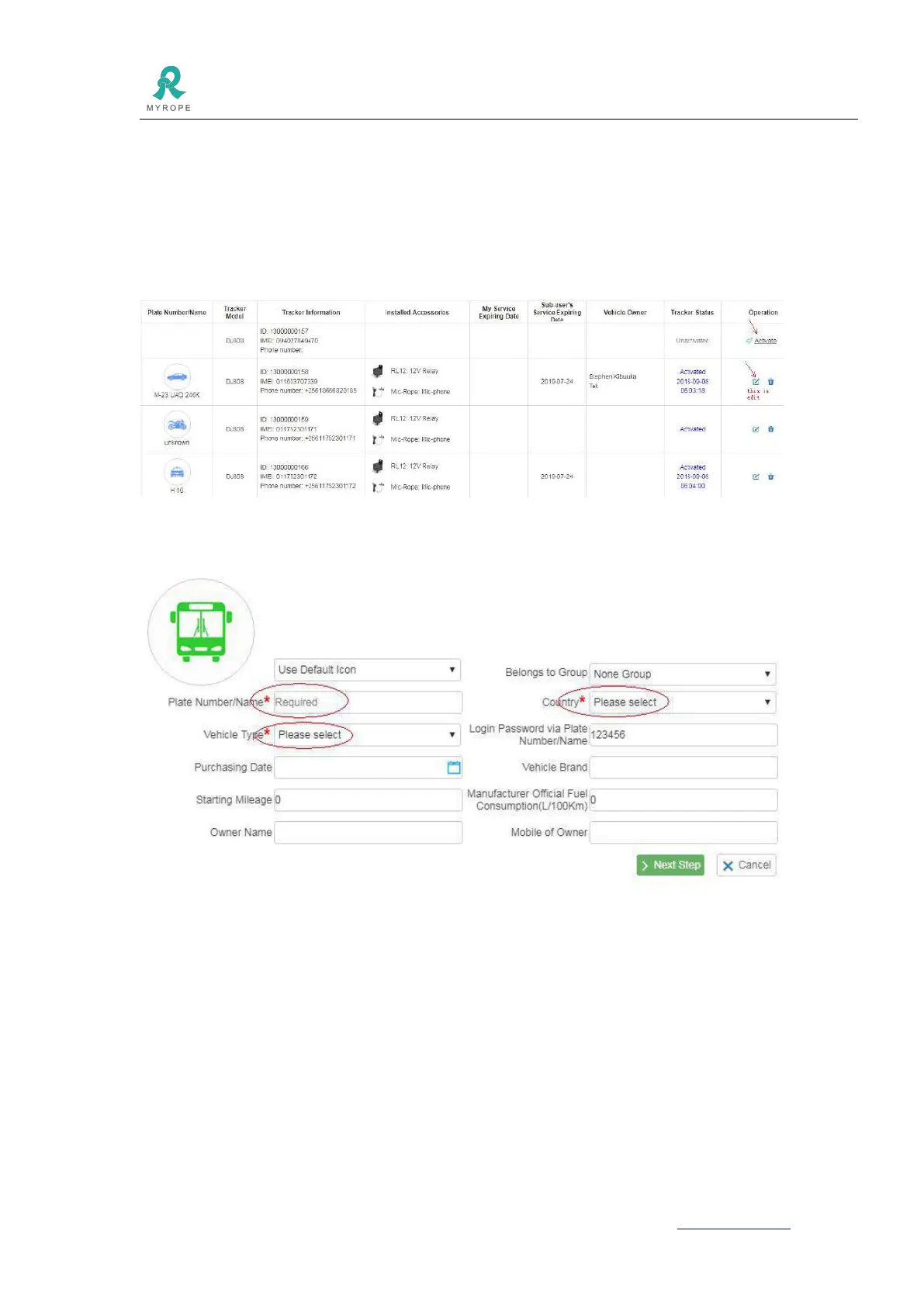
4.3 Click Vehicle Tracker List and you will see all your vehicles are listed there. Please note, to add more
devices, please contact your sales.
Please check the Tracker Status, if it is Unactivated, please click Activate. If it is Activated, please click
Edit.
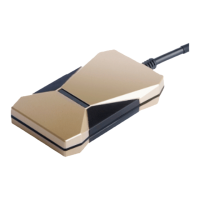
4.4 Click Activate, please fill in the blanks marked with red *. You also can fill in other blanks to complete
the device information.
4.5 Click Next Step and fill in the requested blanks.



 To Next Page