6
2.4 Verifying the installation
2.4.1 Verifying for Windows
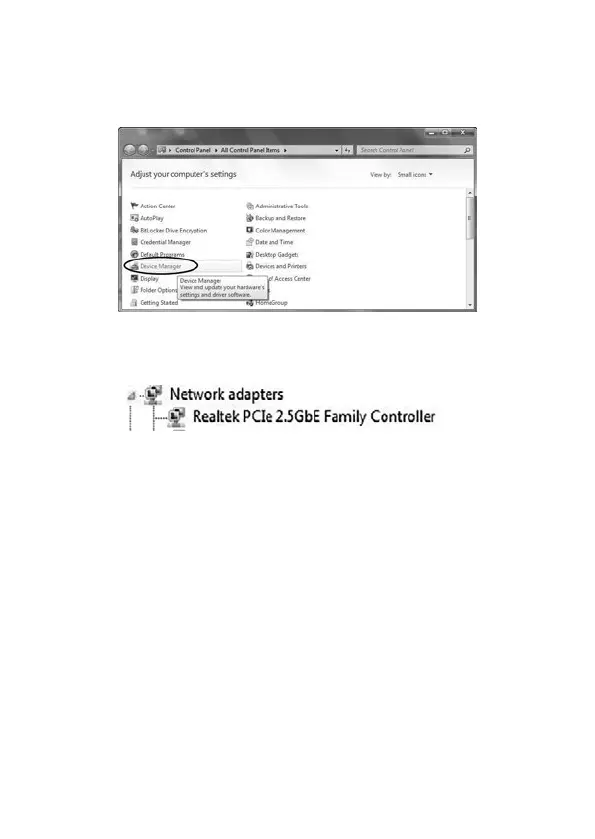
1. Click on the “Device Manager” tab in the Windows Control Panel.
Start > Control Panel > Device Manager
2. Entry “Network adapters” item, and you can read four “Realtek PCIe
2.5GBE Family Controller” item in the Device Manager.
2.4.2 Verifying for Linux
1. You can check whether the driver is loading by using following
commands:
# lsmod | grep r81xx
# ifcong –a
If there is a device name, ethX, shown on the monitor, the Linux driver is
loaded. Then, you can use the following command to activate the ethX.
# ifcong ethX up, where X=0,1,2,…


 To Next Page