7
TROUBLESHOOTING TIPS
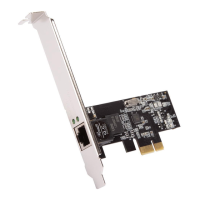
• The computer can NOT detect the PCIe 2.5G 4-Speed Multi-Gigabit
Network Adapter.
1. Make sure that the PCI Express card is correctly plugged into the PCI
Express slot; if not, turn off the computer and plug it again.
2. If the PCI Express card is plugged in correctly, see if the golden
connectors on the card are clean; if not, clean the connector surface.
3. If still NOT, please change another PCI Express slot on your
motherboard.
4. Please upgrade your motherboard BIOS to the latest version. If it still
doesn't work, contact your motherboard vendor asking the advanced
supporting for BIOS updated.
5. The board itself might be defective. You can try another motherboard
testing PCIe 2.5G 4-Speed Multi-Gigabit Network Adapter working or
not.
• Computer failed to start after inserting the PCIe 2.5G 4-Speed Multi-
Gigabit Network Adapter.
Turn off the computer, remove the PCIe 2.5G 4-Speed Multi-Gigabit
Network Adapter, and try to restart the computer. If the computer starts
successfully, it means that the card has not been inserted into the PCI
Express slot correctly. Please clean golden gure by rubber rstly, then
change another PCI Express slot.
• I cannot use Gigabit Ethernet transfer speed.
1. Please afrm your Ethernet environment supporting Gigabit structure.
2. Please use CAT 6 UTP/STP cable.


 To Next Page