Wireless Router RNX-EasyN4 User Manual
6 Setup LAN, WAN
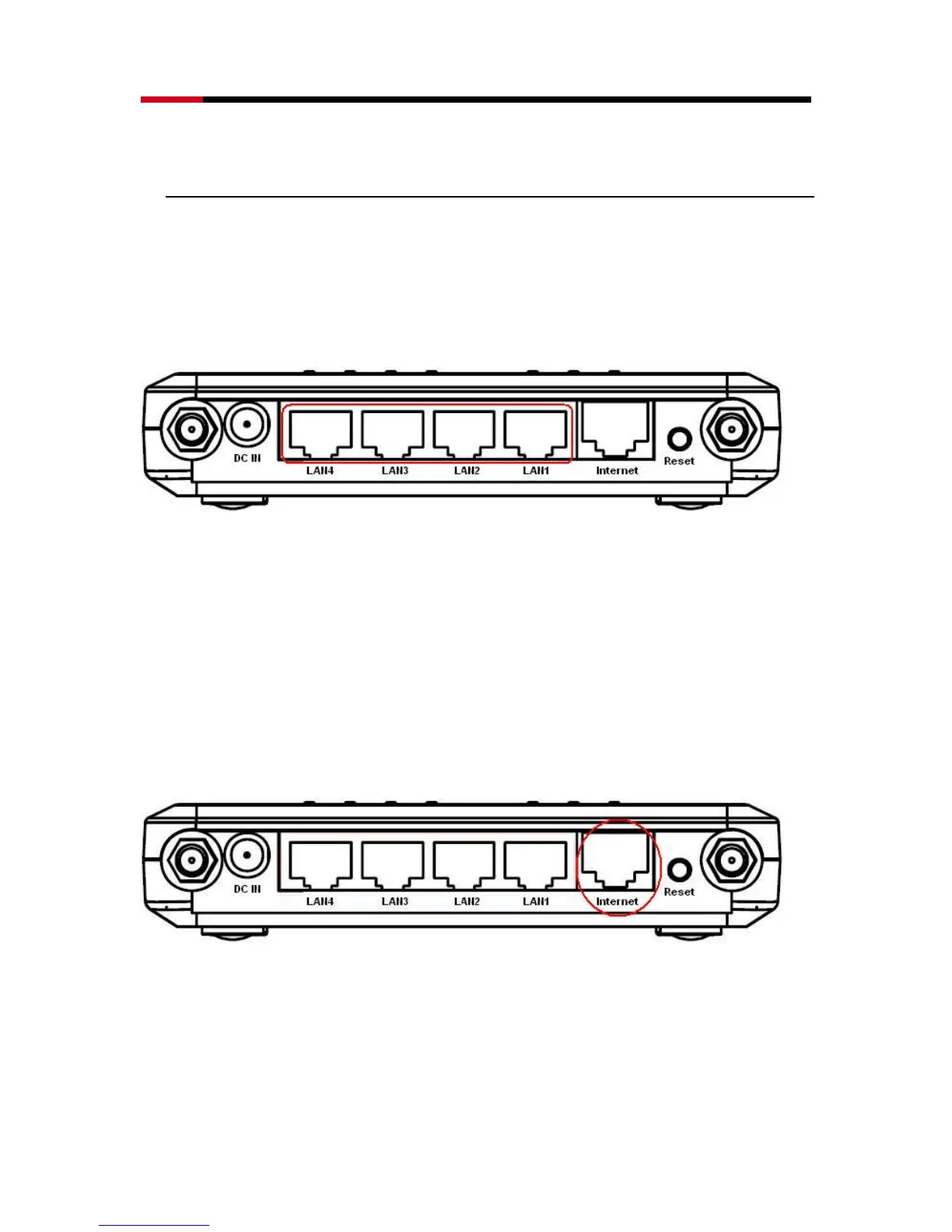
LAN connection:
Connect Ethernet cable between your PC/Notebook LAN port &
one of the 4 available LAN ports on RNX-EASYN4.
WAN connection:
Connect Ethernet cable between WAN ports of your ADSL/CABLE
modem & INTERNET port of RNX-EASYN4. Make sure your
ADSL/CABLE modem is working well. Contact your ISP if you
have any questions.



 To Next Page