Wireless Router RNX-EasyN4 User Manual
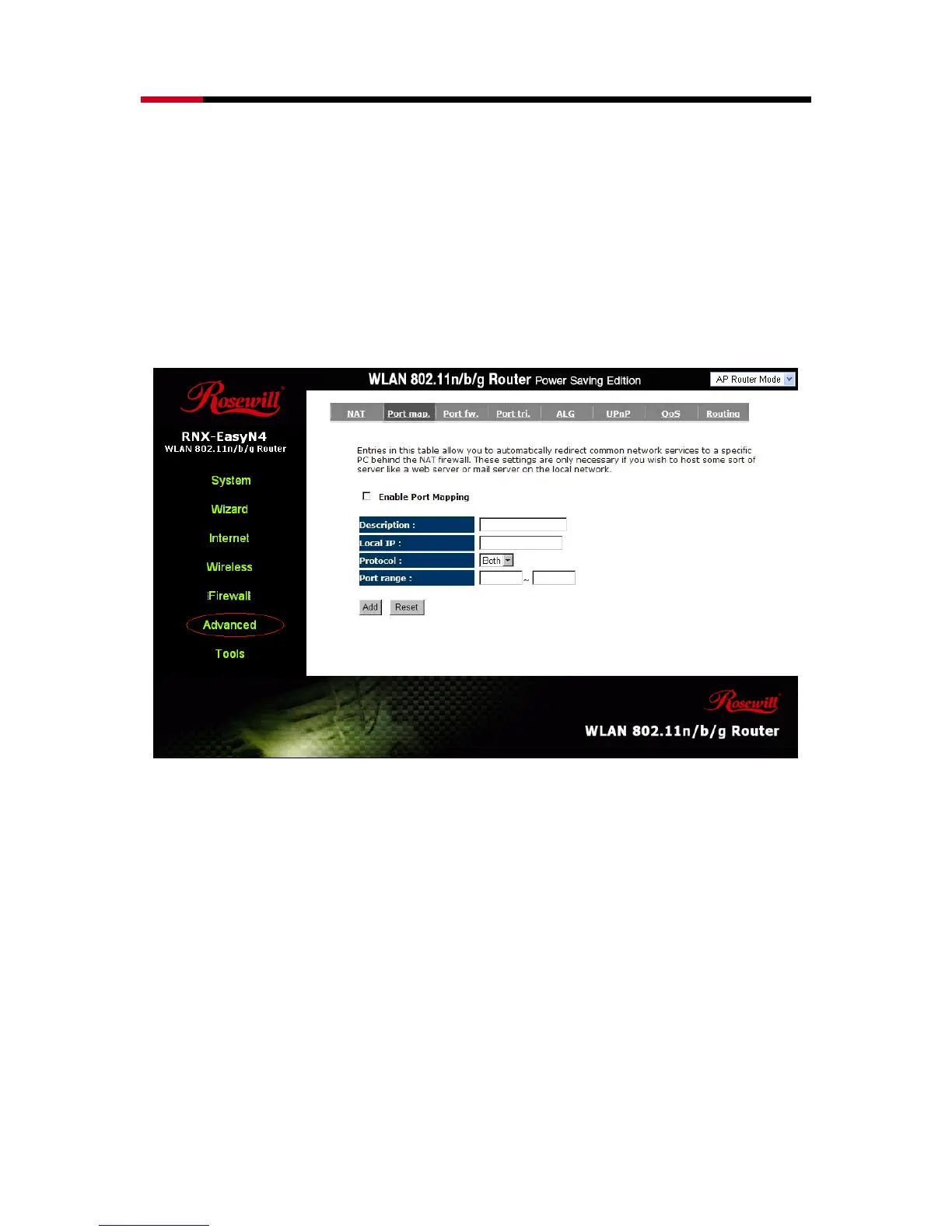
- Port Mapping
Port Mapping allows you to re-direct a particular range of service port numbers
(from the Internet / WAN Port) to a particular LAN IP address. It helps you to host
servers behind the router NAT firewall.
Enable Port Mapping: Enable or disable port mapping function.
Description: description of this setting.
Local IP: This is the local IP of the server behind the NAT firewall.
Type: This is the protocol type to be forwarded. You can choose to forward “TCP” or
“UDP” packets only, or select “BOTH” to forward both “TCP” and “UDP”
packets.
Port Range: The range of ports to be forward to the private IP.



 To Next Page