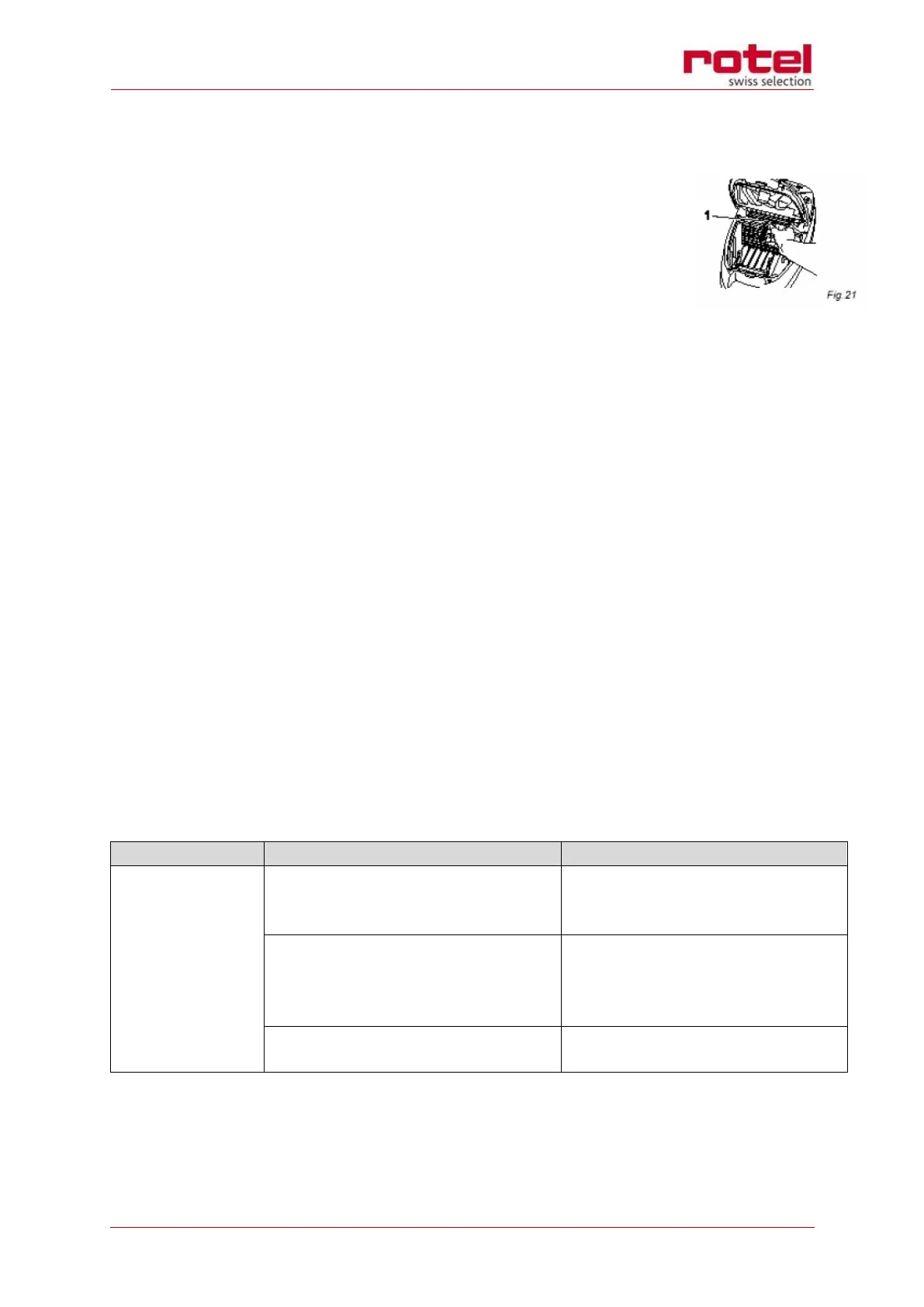
Changing the exhaust filter (HEPA)
o Switch off the vacuum cleaner and remove the dust bag.
o Unlatch the lock and slightly lift the filter. Now you can pull out
the filter towards the front (Fig. 21/1).
o Insert a new exhaust filter and push it down slightly until it locks
into the holder.
o Replace the dust filter bag and properly close the dust compart-
ment cover.
NOTE:
Make sure that the exhaust filter is always properly locked into position, otherwise the ex-
haust air will not be filtered.
Change it every six months to one year or a reduction of power may occur. Filter may be
cleaned by hand but not with water.
Cleaning the housing
o Wipe the body of the appliance clean with a damp cloth and mild detergent, then
wipe dry.
WARNING:
Always switch off the appliance and disconnect it from the mains before cleaning.
ATTENTION:
Do not use solvents or detergents which may damage the surface of the vacuum cleaner.
TROUBLESHOOTING
Test the vacuum cleaner on an-
other socket that is surely func-
tional or test the socket with an-
other device


 To Next Page