EasyManua.ls Logo

Rotel RCD 940BX - CD Player Controls and Display; Front Panel Control Layout; Power and Basic Operation; Playback and Disc Handling Controls

Rotel RCD 940BX
4 pages
Print Icon
To Next Page IconTo Next Page
To Previous Page IconTo Previous Page
Loading...
m»ogram
cliaa
I
1
WgPOT
rtu(
*•«
50*0
i-r
]
]
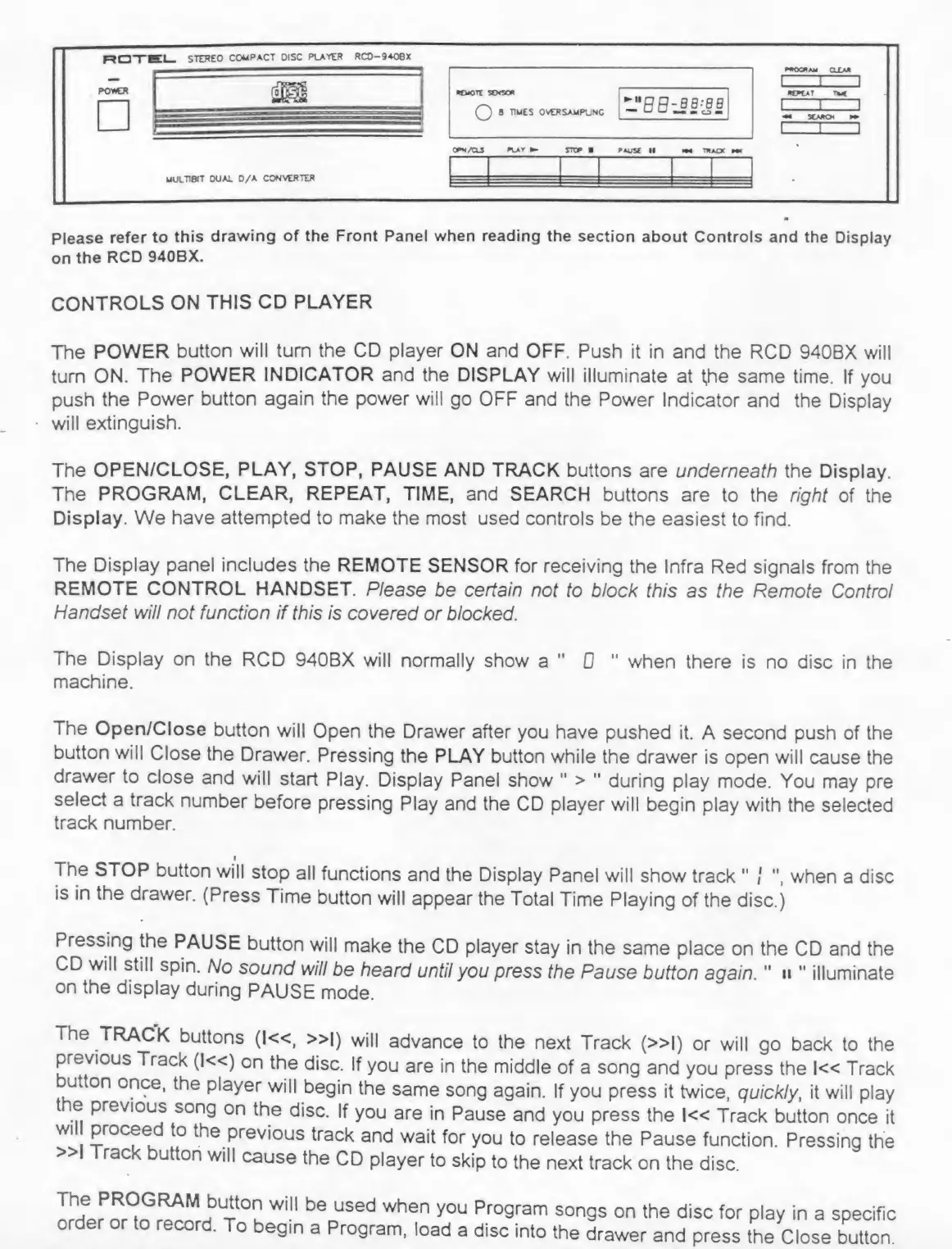
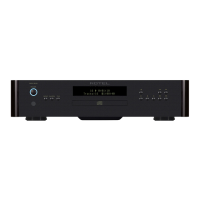
Please
refer
to
this
drawing
of
the
Front
Panel
when
reading
the
section
about
Controls
and
the
Display
on
the
RCD
940BX.
CONTROLS
ON
THIS
CD
PLAYER
The
POWER
button
will
turn
the
CD
player
ON
and
OFF.
Push
it
in
and
the
RCD
940BX
will
turn
ON.
The
POWER
INDICATOR
and
the
DISPLAY
will
illuminate
at
tfie
same
time.
If
you
push
the
Power
button
again
the
power
will
go
OFF
and
the
Power
Indicator
and
the
Display
will
extinguish.
The
OPEN/CLOSE,
PLAY,
STOP,
PAUSE
AND
TRACK
buttons
are
underneath
the
Display.
The
PROGRAM,
CLEAR,
REPEAT,
TIME,
and
SEARCH
buttons
are
to
the
right
of
the
Display.
We
have
attempted
to
make
the
most
used
controls
be
the
easiest
to
find.
The
Display
panel
includes
the
REMOTE
SENSOR
for
receiving
the
Infra
Red
signals
from
the
REMOTE
CONTROL
HANDSET.
Please
be
certain
not
to
block
this
as
the
Remote
Control
Handset
will
not
function
if
this
is
covered
or
blocked.
The
Display
on
the
RCD
940BX
will
normally
show
a
"
0
"
when
there
is
no
disc
in
the
machine.
The
Open/Close
button
will
Open
the
Drawer
after
you
have
pushed
it.
A
second
push
of
the
button
will
Close
the
Drawer.
Pressing
the
PLAY
button
while
the
drawer
is
open
will
cause
the
drawer
to
close
and
will
start
Play.
Display
Panel
show
"
>
"
during
play
mode.
You
may
pre
select
a
track
number
before
pressing
Play
and
the
CD
player
will
begin
play
with
the
selected
track
number.
i
The
STOP
button
will
stop
all
functions
and
the
Display
Panel
will
show
track
"
I
",
when
a
disc
is
in
the
drawer.
(Press
Time
button
will
appear
the
Total
Time
Playing
of
the
disc.)
Pressing
the
PAUSE
button
will
make
the
CD
player
stay
in
the
same
place
on
the
CD
and
the
CD
will
still
spin.
No
sound
will
be
heard
until
you
press
the
Pause
button
again.
"
ii
"
illuminate
on
the
display
during
PAUSE
mode.
The
TRACK
buttons
(l«,
»|)
will
advance
to
the
next
Track
(»l)
or
will
go
back
to
the
previous
Track
(I«)
on
the
disc.
If
you
are
in
the
middle
of
a
song
and
you
press
the
Track
button
once,
the
player
will
begin
the
same
song
again.
If
you
press
it
twice,
quickly,
it
will
play
e
previous
song
on
the
disc.
If
you
are
in
Pause
and
you
press
the
Track
button
once
it
wil
proceed
to
the
previous
track
and
wait
for
you
to
release
the
Pause
function.
Pressing
the
»
rack
button
will
cause
the
CD
player
to
skip
to
the
next
track
on
the
disc.
PR
?
G
R
AM
wi
.
"
b
®
used
when
u
Pro
9f
art
'
songs
on
the
disc
for
play
in
a
specific
o
begin
a
Program,
load
a
disc
into
the
drawer
and
press
the
Close
button.

Related product manuals