EasyManua.ls Logo

Rotel RCD 940BX - User Manual

Rotel RCD 940BX
4 pages
Print Icon
To Next Page IconTo Next Page
Loading...
RCD
940BX
Stereo
Compact
Disc
Piayer
Owners
Manual
Please
write
the
serial
number
and
purchase
date
of
this
RCD
940BX
for
records
in
the
space
provided.
Serial
Number
Purchase
date
Question and Answer IconNeed help?

Do you have a question about the Rotel RCD 940BX and is the answer not in the manual?

Summary

CD Player Controls and Display

Front Panel Control Layout

Diagram of the RCD 940BX front panel illustrating button placement and display.

Power and Basic Operation

How to turn the CD player ON/OFF and the function of the power indicator.

Playback and Disc Handling Controls

Operation of OPEN/CLOSE, PLAY, STOP, PAUSE, and TRACK selection buttons.

Program, Time, and Search Buttons

Functionality of PROGRAM, CLEAR, REPEAT, TIME, and SEARCH for advanced playback.

Display Panel Features

Information shown on the display, including remote sensor and disc status indicators.

Advanced Playback Programming

Track Programming and Memory

Steps for programming playback order, reviewing, and clearing tracks from memory.

Repeat, Time, and Search Functions

Using REPEAT for continuous playback, TIME for duration display, and SEARCH for navigation.

Remote Control and System Connectivity

Remote Control Handset RR 921

Overview of the RR 921 remote's functions, including Random play.

Analog Audio Output Connection

Connecting the player's analog RCA outputs to a stereo amplifier or receiver.

CD Player Features and Specifications

Optional Digital Output and Features

Details on the optional coaxial digital output and key player features like DAC and filter.

Rotel Design Philosophy

Rotel's approach to audio design focusing on performance and user experience.

Technical Specifications

Comprehensive technical data including frequency response, distortion, and dimensions.

Overview

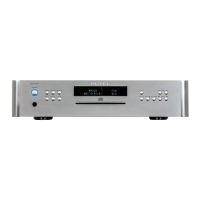
The Rotel RCD 940BX is a stereo compact disc player designed to provide a lively and entertaining source of music for your stereo system. It incorporates an 18-bit Digital to Analog Converter and an 8x Oversampling Digital Filter, contributing to its good sound quality. The display panel is designed to be informative and simple, offering more information as needed by pressing the appropriate buttons on the front panel or remote control.

Function Description:

The RCD 940BX plays compact discs, offering various playback modes and controls. It features basic playback functions like Play, Stop, Pause, and Track selection, as well as more advanced features such as Program play, Repeat play, Random play, and Search.

Important Technical Specifications:

  • Frequency response: 5 - 20,000 Hz ± 0.8 dB
  • Harmonic distortion: < 0.005% @ 1 kHz
  • Channel separation: > 90 dB @ 1 kHz
  • Speed accuracy, wow and flutter: Quartz crystal accuracy
  • Signal to noise ratio: > 110 dB
  • Digital to analog converter: 18 bit linear
  • Digital filter: 8 x Oversampling
  • Power requirements: 115 volts AC 50/60 Hz or 230 volts AC 50/60 Hz
  • Power consumption: 30 watts
  • Weight: 4.4 kgs / 9.7 lbs
  • Dimensions: 440 (w) x 92 (h) x 316 (d) mm (17-3/8" (w) x 3-5/8" (h) x 12-7/16" (d))
  • Optional Digital Output: A 75 ohm Coaxial Digital Output may be available on the back panel for connection to an external Digital to Analog Converter (not available in all markets).

Usage Features:

Front Panel Controls:

  • POWER button: Turns the CD player ON and OFF. When ON, the POWER INDICATOR and DISPLAY illuminate.
  • OPEN/CLOSE button: Opens and closes the disc drawer. Pressing PLAY while the drawer is open will close it and start playback.
  • PLAY button: Starts disc playback. The display shows ">" during play mode.
  • STOP button: Stops all functions. The display shows "/" when a disc is in the drawer. Pressing the TIME button after stopping will show the total playing time of the disc.
  • PAUSE button: Temporarily stops playback at the current position while the disc continues to spin. No sound is heard until PAUSE is pressed again. The display shows " " during PAUSE mode.
  • TRACK buttons (I<<, >>I):
    • >>I: Skips to the next track.
    • I<<: If pressed once during a song, restarts the current song. If pressed twice quickly, plays the previous song. In PAUSE mode, pressing I<< once proceeds to the previous track and waits for the PAUSE function to be released.
  • PROGRAM button: Used to program songs for playback in a specific order (up to 20 tracks). Press once to enter program mode, select a track number, then press again to add it to memory. Press again to review the programmed order. The display shows "PRGM".
  • CLEAR button: Used with the PROGRAM button to delete a specific track from the program memory. Pressing STOP or OPEN will completely erase the entire program.
  • REPEAT button: Allows continuous playback of the entire disc or a programmed sequence. The function is canceled by pressing REPEAT again or OPEN. It can be combined with Random play. A circular arrow icon indicates REPEAT mode on the display.
  • TIME button: Cycles through different time readouts: Time Elapsed in a song, Time Remaining in a song, and Total Time Elapsed of the whole disc. This function is not available during Random mode.
  • SEARCH buttons (<<, >>): Allows fast forward or backward scanning through a song.

Remote Control Handset (RR 921):

The RR 921 duplicates all front panel functions except OPEN/CLOSE. The Play and Pause buttons are combined on the remote. It also includes a RANDOM play button, which plays tracks in a random sequence, including programmed tracks. The display shows "rn" during Random play. Random play can be combined with Repeat.

Display Panel:

  • Includes a REMOTE SENSOR for receiving Infra Red signals from the remote control. Ensure it is not blocked.
  • Normally shows "0" when no disc is in the machine.
  • Shows ">" during play mode.
  • Shows "/" when a disc is in the drawer and stopped.
  • Shows " " during PAUSE mode.
  • Shows "PRGM" during program mode.
  • Shows a circular arrow for REPEAT mode.
  • Shows "rn" during Random play.

Rear Panel Connections:

  • OUTPUT ANALOG (RCA jacks): Left and Right channel outputs for connecting to the CD or AUX input of your stereo integrated amplifier, receiver, or preamplifier. Observe correct Left and Right channel connections.
  • Optional 75 ohm Coaxial Digital Output: For connecting to an external Digital to Analog Converter (if available).

Maintenance Features:

The manual does not explicitly detail maintenance features. However, as with most audio equipment, it is generally recommended to keep the device clean and free from dust. The warning about invisible laser radiation when the top cover is removed implies that internal servicing should be left to qualified personnel. The device is designed for reliability, with Rotel stating they have "retained the build quality for which we are rightly famous" and that the RCD 940BX "will be a source of pleasure for years to come."

Rotel emphasizes a design philosophy focused on good sound quality, simple features, and ease of use, avoiding "needless complication and features that are not actually used regularly." The company believes in designing audio electronics using both test equipment and the human ear, ensuring that the music benefits from this "care and attention to detail." All specifications are accurate at the time of printing, and Rotel reserves the right to make improvements without notice.

Rotel RCD 940BX Specifications

General IconGeneral
BrandRotel
ModelRCD 940BX
CategoryCD Player
LanguageEnglish

Related product manuals