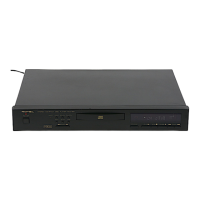
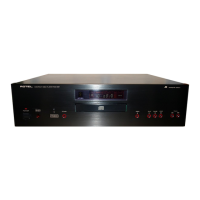
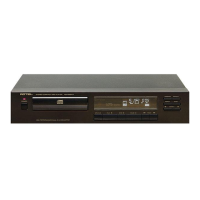
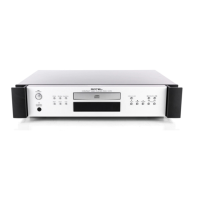
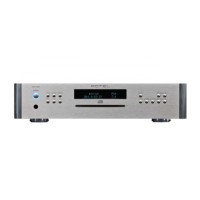
The Rotel RCD-965BX is a stereo compact disc player designed for high-fidelity audio reproduction. It features a "BIT STREAM DUAL D/A CONVERTER" and a "HIGH LINEARITY PDM SYSTEM," indicating advanced digital-to-analog conversion technology for accurate sound.
Function Description
The primary function of the RCD-965BX is to play compact discs. It supports both standard 5-inch and smaller 3-inch "CD single" discs. The player offers various playback modes, including:
- Complete Disc Playback: Simply load a disc and press PLAY to listen to the entire album from start to finish. The display shows the current track number and playing time, then progresses through each track.
- Track Navigation: Users can move to the next or previous track using the TRACK keys. If the player is in repeat mode, it will loop back to the first or last track as appropriate.
- Search Function: The SEARCH control keys allow for rapid scanning across a disc in forward or reverse directions. During search, the laser pick-up moves at three successive speeds, with the sound remaining audible (though accelerated) at the first two speeds, then disappearing at the maximum speed. This feature is useful for locating specific passages within a track.
- Pause Function: The PAUSE key temporarily interrupts playback, stopping the sound while the disc continues to spin. Pressing PAUSE again resumes playback from the exact point of interruption. This can also be used to hold playback at the beginning of a track or passage.
- Repeat Playback: The REPEAT switch enables continuous looping of the entire disc or a programmed sequence of tracks. The REPEAT indicator lights up when this function is active.
- Random Playback: The RANDOM key automatically selects and plays tracks from the disc in a random sequence. Due to the vast number of possible sequences, it's unlikely to hear the same random order twice.
- Programming: This advanced feature allows users to create a custom playlist of up to 20 tracks from a disc, defining the playback order. Programming is done by selecting desired track numbers using the TRACK keys and storing them with the PROGRAM key. The player's memory retains the program until the disc tray is opened or the STOP key is pressed during programmed play.
- Index Playback: For discs with encoded index numbers, the INDEX keys allow navigation to specific sections within a track. Users must first select a track, then use the INDEX buttons to choose the desired index number, which will be displayed on the TIME digits. Playback then starts from that index point.
Usage Features
The RCD-965BX is designed for user-friendly operation, both from its front panel and via a remote control.
-
Front Panel Controls:
- POWER Switch: Turns the unit on and off, indicated by an LED.
- Disc Tray: A motorized tray that slides out for loading and unloading discs when the OPEN/CLOSE key is pressed.
- OPEN/CLOSE Key: Controls the movement of the disc tray.
- Remote Sensor: Receives commands from the infrared remote control handunit.
- MULTI-FUNCTION DISPLAY Panel: Provides comprehensive visual feedback on disc status, playback modes, track numbers, time, and programming information. It also includes a Disc Size Indicator (12" or 8") that lights up automatically.
- PLAY Key: Initiates playback.
- STOP Key: Stops playback and can also be used to erase a program from memory.
- PAUSE Key: Temporarily interrupts playback.
- TRACK Keys (>>I / I<<): Move the laser pick-up to the next or previous track.
- PROGRAM Key: Used for setting and reviewing custom track programs.
- RANDOM Key: Activates random track playback.
- REPEAT Switch: Toggles repeat playback on and off.
- INDEX Keys (>> / <<): Navigate to specific index points within a track (if encoded on the disc).
- SEARCH Control Keys (>> / <<): Fast-scan forward or reverse through a track.
-
Remote Control System (Rotel RR-901): The included infrared remote handunit provides convenient access to most operational functions, mirroring the front panel controls with some exceptions. It lacks POWER on/off and OPEN/CLOSE switches. A key advantage of the remote is its direct random access feature, allowing users to directly select a desired track by pressing the corresponding number on the 10-key numerical system, eliminating the need for sequential track navigation. The remote does not support INDEX operation.
-
Connections:
- ANALOG (AUDIO) OUTPUT jacks (RCA): Connect to the CD or AUX input jacks of an amplifier or receiver. Proper channel connection (RED for right, WHITE for left) is crucial.
- DIGITAL OUTPUT: For connecting to an external D/A converter or an amplifier with a built-in digital input socket, using a suitable connecting cable.
- Power Cord: Connects to an AC outlet or a convenience outlet on other audio equipment, ensuring the outlet is rated for sufficient wattage.
Maintenance Features
Proper care and handling are essential for the longevity and optimal performance of the RCD-965BX and its discs.
- Transport Screws: The unit is secured with special transport screws on the bottom to protect the internal laser pick-up mechanism during transit. These must be removed before operating the player. If the player needs to be transported again, the screws should be re-inserted.
- Installation Location: The player should be placed carefully, avoiding direct sunlight, heat sources (radiators, stoves, amplifiers), excessive dust, cold, moisture, and sources of hum (transformers, motors). It should also be situated to allow proper ventilation, not placed on soft surfaces or in enclosed cabinets that impede airflow.
- Cleaning:
- Player: Clean the player's finish with a clean, dry cloth. Avoid chemical solvents, as they may damage the finish.
- Discs: Handle discs by their edges to avoid fingerprints. Keep the recorded side clean by wiping with a clean, dry cloth in a straight motion from the inside to the outside. Never use record cleaner, sprays, antistatic liquids, or chemical-based liquids, as these can damage the disc's plastic surface.
- Disc Handling: Always insert discs with the label facing upwards. Never insert a disc with cracks or one that is excessively dirty. When removing a disc from its case, press down on the center of the case and lift the disc by its edges. Always return discs to their protective plastic cases when not in use.
- Environmental Protection: Avoid exposing discs to direct sunlight, high temperatures, or high humidity for extended periods, as this can warp the disc.
- Internal Components: The laser pick-up should not be touched to keep it clean. The disc tray should always be closed when not in use.
- Troubleshooting: The manual provides a comprehensive "troubleshooting" section to help users identify and resolve common operating errors before concluding that the player is faulty. This includes issues related to power, disc tray operation, sound quality, and programming. Users are advised not to open the cabinet, as this will void the warranty.
- Power Cord: Always pull the power plug directly from the outlet, not the cord. Unplug the power cord from the outlet when the player is left unused for long periods.
- Object and Liquid Entry: Care should be taken to prevent objects from falling into or liquids from spilling into the player's enclosure openings.
- Servicing: Any servicing beyond the user-described operations should be referred to qualified factory-authorized service personnel.
The RCD-965BX emphasizes careful handling and proper setup to ensure optimal sound quality and reliable operation over time.

 Need help?
 General

 To Next Page