EasyManua.ls Logo

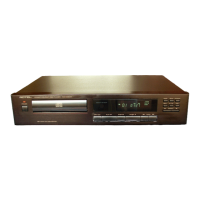
Rotel RCD-965BX - Initial Setup and Player Overview; Transport Screw Removal Procedure

Rotel RCD-965BX
8 pages
Print Icon
To Next Page IconTo Next Page
To Previous Page IconTo Previous Page
Loading...
ENGLISH
STEREO
COMPACT
DISC
PLAYER
RCD-965BX
Thank
you
for
purchasing
the
ROTEL
Compact
Disc
Player.
CAUTION
:
READ
THIS
BEFORE
OPERATING
YOUR
PLAYER.
1.
The
product
is
a
sophisticated
Compact
Disc
Player.
To
ensure
proper
operation
for
the
best
possible
sound
reproduction,
please
read
this
manual
carefully.
2.
Choose
the
installation
location
of
your
player
care¬
fully.
Avoid
placing
it
in
direct
sunlight
or
close
to
a
source
of
heat.
Also
avoid
locations
subject
to
vibration
and
ex¬
cessive
dust,
heat,
cold
or
moisture.
Keep
away
from
such
sources
of
hum
as
transformers
or
motors.
3.
Do
not
open
the
cabinet
as
this
might
result
in
damage
to
the
set
or
electrical
shock.
If
a
foreign
object
should
get
into
the
set,
contact
your
dealer.
4.
Be
sure
not
to
handle
discs
with
dirty
fingers.
Never
insert
a
disc
which
has
a
crack
on
the
surface.
5.
When
removing
the
power
plug
from
a
wall
outlet,
always
pull
directly
on
the
plug,
never
yank
the
cord.
6.
Do
not
use
force
when
using
the
switches
and
knobs.
7.
When
moving
the
set
be
sure
to
first
pull
out
the
power
plug
and
remove
cords
connecting
to
other
equipment.
8.
To
keep
the
laser-pickup
clean,
do
not
touch
it,
and
do
not
forget
to
close
the
disc
tray.
9.
Do
not
attempt
to
clean
the
player
with
chemical
solvents
as
this
might
damage
the
finish.
Use
a
clean,
dry
cloth.
10.
Be
sure
to
read
the
Troubleshooting"
section
for
advice
on
common
operating
errors
before
concluding
that
your
player
is
faulty.
11.
Keep
this
manual
in
a
safe
place
for
future
reference.
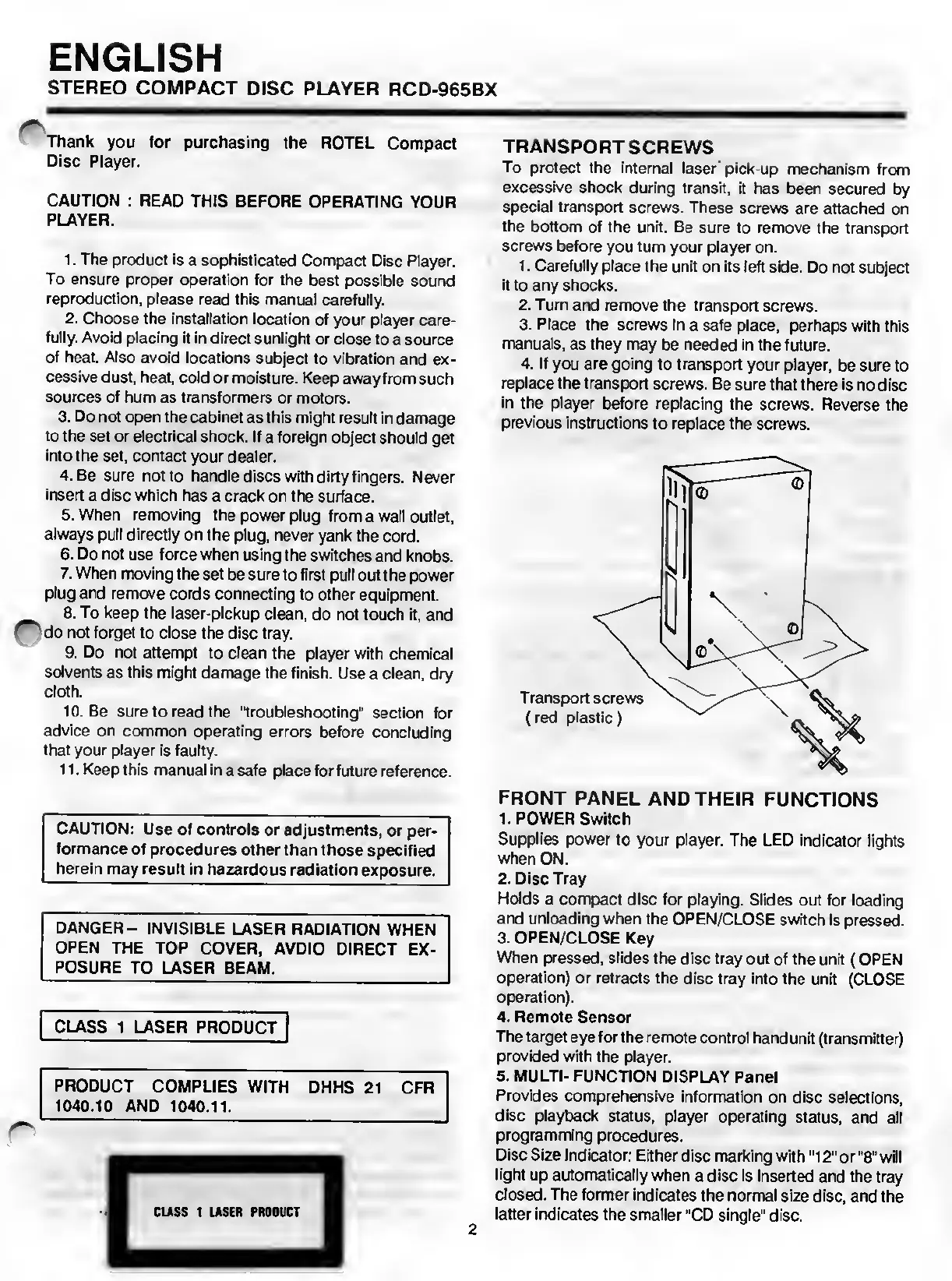
TRANSPORT
SCREWS
To
protect
the
internal
laser
pick-up
mechanism
from
excessive
shock
during
transit,
it
has
been
secured
by
special
transport
screws.
These
screws
are
attached
on
the
bottom
of
the
unit.
Be
sure
to
remove
the
transport
screws
before
you
turn
your
player
on.
1.
Carefully
place
the
unit
on
its
left
side.
Do
not
subject
it
to
any
shocks.
2.
Turn
and
remove
the
transport
screws.
3.
Place
the
screws
in
a
safe
place,
perhaps
with
this
manuals,
as
they
may
be
needed
in
the
future.
4.
If
you
are
going
to
transport
your
player,
be
sure
to
replace
the
transport
screws.
Be
sure
that
there
is
no
disc
in
the
player
before
replacing
the
screws.
Reverse
the
previous
instructions
to
replace
the
screws.
CAUTION:
Use
of
controls
or
adjustments,
or
per¬
formance
of
procedures
other
than
those
specified
herein
may
result
in
hazardous
radiation
exposure.
DANGER-
INVISIBLE
LASER
RADIATION
WHEN
OPEN
THE
TOP
COVER,
AVDIO
DIRECT
EX¬
POSURE
TO
LASER
BEAM.
CLASS
1
LASER
PRODUCT
PRODUCT
COMPLIES
WITH
DHHS
21
CFR
1040.10
AND
1040.11.
FRONT
PANEL
AND
THEIR
FUNCTIONS
1.
POWER
Switch
Supplies
power
to
your
player.
The
LED
indicator
lights
when
ON.
2.
Disc
Tray
Holds
a
compact
disc
for
playing.
Slides
out
for
loading
and
unloading
when
the
OPEN/CLOSE
switch
is
pressed.
3.
OPEN/CLOSE
Key
When
pressed,
slides
the
disc
tray
out
of
the
unit
(OPEN
operation)
or
retracts
the
disc
tray
into
the
unit
(CLOSE
operation).
4.
Remote
Sensor
The
target
eye
for
the
remote
control
handunit
(transmitter)
provided
with
the
player.
5.
MULTI-
FUNCTION
DISPLAY
Panel
Provides
comprehensive
information
on
disc
selections,
disc
playback
status,
player
operating
status,
and
all
programming
procedures.
Disc
Size
Indicator:
Either
disc
marking
with
"12"
or
"8"
will
light
up
automatically
when
a
disc
is
inserted
and
the
tray
closed.
The
former
indicates
the
normal
size
disc,
and
the
latter
indicates
the
smaller
"CD
single"
disc.
CLASS
1
LASER
PRODUCT
2

Related product manuals