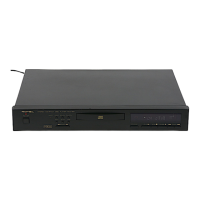
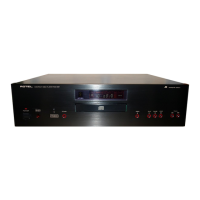
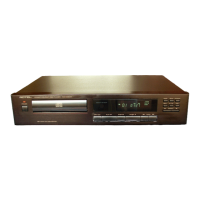
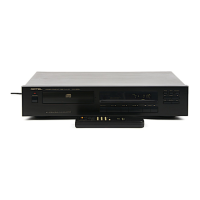
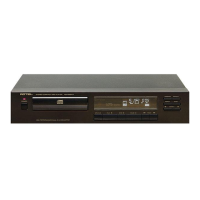
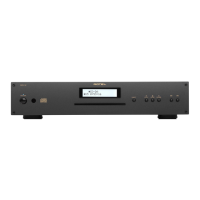
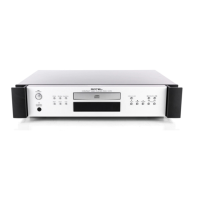
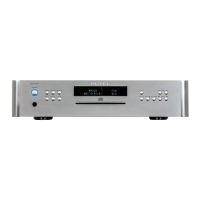
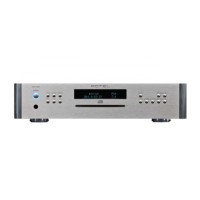
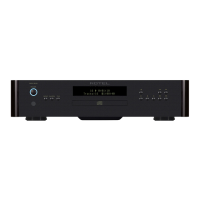
The Rotel RCD 970BX is a stereo compact disc player designed to deliver high-fidelity audio. Rotel emphasizes its commitment to quality products that are durable, easy to use, and offer high fidelity to the original sound. The company has been designing and manufacturing high-performance audio electronics for over 30 years, and this CD player is presented as a natural extension of their passion for music and good sound.
Function Description
The RCD 970BX is a dedicated compact disc player, meaning its primary function is to read and play audio CDs. It incorporates a Bitstream Continuous Calibration Digital to Analog Converter and an 16x Oversampling 20 Bit Digital Filter. This D/A conversion system is noted for its very low noise levels compared to conventional bitstream designs, freedom from spurious signals, and excellent low-level linearity, all contributing to its sound quality. The player utilizes a Philips CDM-9 loader and a single-beam laser system, which are described as high-performance designs.
Usage Features
The RCD 970BX is designed with simple features, avoiding what Rotel considers "needless complication and features that are not used regularly." This approach aims for inherent ease of use.
- Power Control: The POWER button turns the CD player ON and OFF. When turned ON, the POWER INDICATOR LIGHT and the DISPLAY illuminate.
- Disc Tray Operation: The OPEN button opens and closes the disc drawer. When opened, the display shows "OPEN." Pressing PLAY while the drawer is open will close it and start playback. If the drawer closes without a disc, the display will show "dISC."
- Basic Playback Controls:
- PLAY: Initiates playback. If a track number is pre-selected, playback will start from that track.
- STOP: Halts all functions, and the display shows the track numbers and the total time of the disc.
- PAUSE: Temporarily stops playback. The CD continues to spin, and the display shows "PAUSE." No sound is heard until PLAY is pressed again.
- TRACK (I<<, >>I): These buttons allow navigation between tracks. ">>I" advances to the next track, while "I<<" goes back to the previous track. If pressed during a song, "I<<" will restart the current song. If pressed again, it will go to the previous song. If in PAUSE, pressing "I<<" will move to the previous track and wait for PLAY.
- Advanced Playback Modes:
- PROGRAM: This feature allows users to program up to 20 songs for playback in a specific order, useful for creating custom playlists or for recording purposes. To program, load a disc, open the drawer, and then select the desired track number. Press the PROGRAM button to add the track to memory. The display will show "PROGRAM," the program number, and the total program time. Pressing PROGRAM again will display the programmed tracks in sequence. A program can be erased by pressing OPEN or STOP.
- SHUFFLE: Plays tracks on a disc randomly until all songs are finished. "SHUFFLE" appears on the display when active.
- REPEAT: Allows continuous playback of a whole disc or a programmed song/songs. This function can be canceled by pressing STOP and can be combined with SHUFFLE play. "REPEAT" is shown on the display when active.
- SEARCH (<<, >>): These buttons enable fast forward or rewind within a song. The search operates at two speeds, starting slowly and then accelerating.
- Remote Control: A remote control handset duplicates all front panel functions except the OPEN button. The remote keys are color-coded for ease of use: direct access track buttons are grey, function, STOP, and PAUSE buttons are black, and the PLAY button is orange.
- Connectivity: The rear panel features RCA jacks for analog audio output, designed to connect to the CD or AUX input of a stereo integrated amplifier, receiver, or preamplifier. Users are advised to observe correct Left and Right Channel connections. High-performance patch cables are recommended for improved sound. Additionally, there is a 75 ohm Coaxial Digital Output for connection to an external Digital to Analog Converter, requiring a quality 75 ohm impedance RCA cable.
Maintenance Features
Rotel provides clear guidelines for the care and maintenance of the RCD 970BX to ensure its longevity and optimal performance.
- Cleaning: The cabinet should be cleaned with a soft, DRY cloth. Cleaning compounds or solvents are explicitly discouraged as they can damage the finish, remove labels, or potentially harm internal circuitry if residue falls inside.
- Internal Access: Users are strictly warned not to open the cabinet. There are no user-serviceable parts inside. Opening the cabinet exposes users to potentially dangerous high voltage, the risk of electric shock, and hazardous laser radiation, which can damage health and eyesight. Opening the unit will also void the warranty.
- Power Cord Handling: When disconnecting the power cord from the wall socket, users should always hold the plug firmly and pull it out, rather than pulling the cord itself. This prevents damage to the cord and avoids hazardous conditions. It is recommended to connect the RCD 970BX directly to the mains' wall socket or a power line filter, not an extension cord.
- Environmental Placement: The unit should be placed on a dry, level surface away from direct sunlight. Objects should not be placed on top of the RCD 970BX. Water or moisture should be kept away to prevent damage to the circuitry. Locations with excessive heat, humidity, vibration, or moisture should be avoided.
- Ventilation: Proper ventilation is crucial. The appliance should be situated so that its location or position does not obstruct airflow. It should not be placed on surfaces like beds, sofas, rugs, or similar materials that block ventilation openings, nor in built-in installations (e.g., bookcases or cabinets) that impede air circulation. The unit should be away from heat sources such as radiators, heat registers, stoves, or other heat-producing appliances.
- Installation: Rotel recommends installing the RCD 970BX in furniture designed for audio components, allowing it to be on its own shelf without other components stacked on top. This minimizes potential interference with other system components and reduces vibration, leading to improved sound quality.
- Electrical Requirements: The CD player is designed for specific AC voltage, which is displayed on the back panel. Operating the RCD 970BX on incorrect voltage will damage the circuitry and void the warranty. Users are advised to check the back panel label or consult their authorized dealer for voltage confirmation.

 Need help?
 Audio Specifications
 Power
Power Weight and Dimensions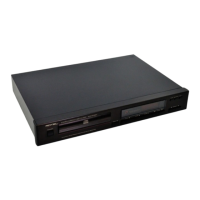

 To Next Page