18
USER MANUAL
6
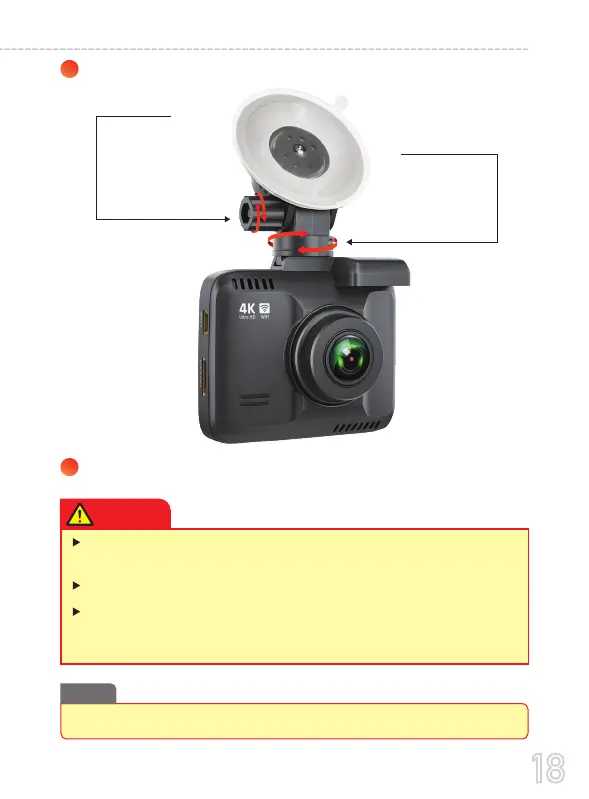
Adjust the lens angle of the camera.
7
Start the engine and check if the product works properly.
Simply rotate the
camera 360
o
to
record any direction
you prefer.
Loosen the screw
to adjust the
camera’s view angle
and then tighten to
lock that angle.
Make sure to remove the Plastic Lens Screen Protector from the lens before
recording videos. Otherwise your videos will look blurry and blocked.
Do not remove the Micro-SD card while the camera is turned ON.
Otherwise it may cause memory card to be write protected and possible
loss of data or damage your memory card. Always remove/insert memory
card while camera is turned OFF
After a test drive, check and make sure if all the videos are recorded correctly.
Note
CAUTION



 To Next Page