28
USER MANUAL
GPS Time Zone Setting
WiFi
Date/Time
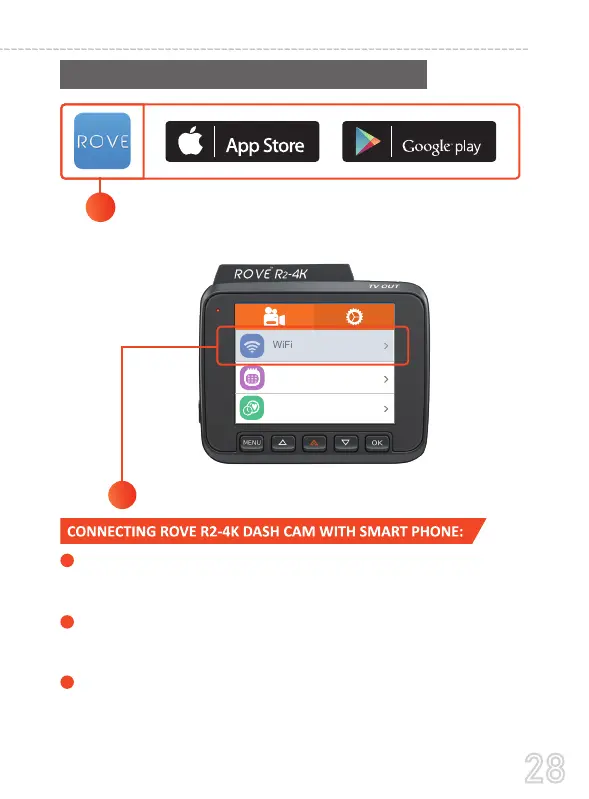
Turn the WiFi ON from the R2-4K's Settings
2
Search for “ROVE” in App Store or
Google Play Store to find the App and then
download and install it on your phone.
1
TURN ON WiFi FROM THE CAMERA: Long press EMERGENCY
LOCK BUTTON for 2-seconds to turn the WiFi Mode On from the
camera.
CONNECT WiFi: Now Simply join the ROVE R2-4K WiFi by going into
your iPhone or Android phone’s Settings > WiFi > ROVE R2-4K WiFi.
Then Enter the default password: 12345678. Then JOIN the network.
NOW OPEN THE ROVE APP: Once your camera is connected to ROVE
WiFi successfully and when you open the ROVE App, the camera will
sync automatically. You should see the live video feed from the camera
on the ROVE APP. Then keep exploring the APP from here on.
1
2
3



 To Next Page