34
USER MANUAL
A
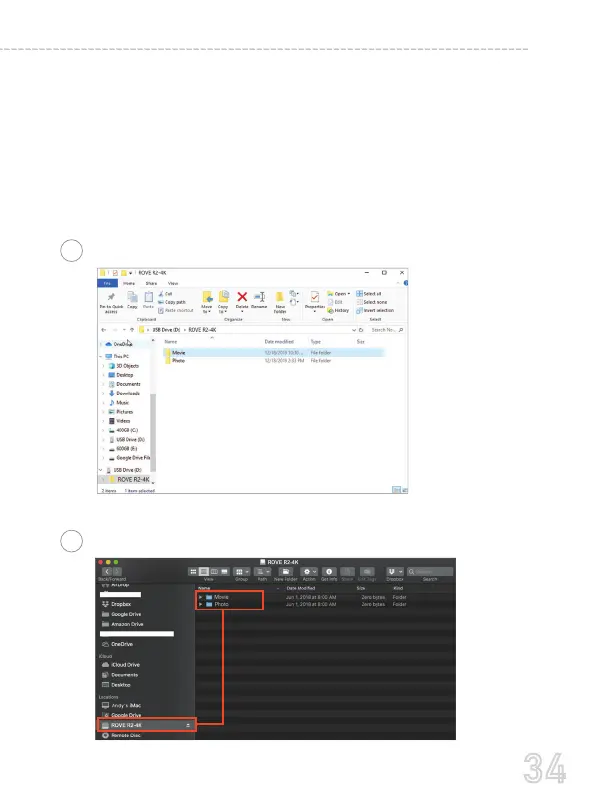
PC
Then simply go to MY PC or Folder, then look for the added flash
drive. You should be able to see drive "D" or "E" or other name
depending on the pre-installed hard drives.
Once you find the added flash drive, double click in it, then you will
see the R2-4K folder where you will find your unlocked videos.
You will also see a folder named "RO" which means read-only, where
you will see your locked videos.
B
MAC



 To Next Page