126
CD32 - Radio
CD32 - Radio
DETACHABLE CONTROL PANEL
For added protection against theft, remove the control panel and
take it with you when you leave the car. DO NOT leave the
control panel inside the car.
Removing the control panel
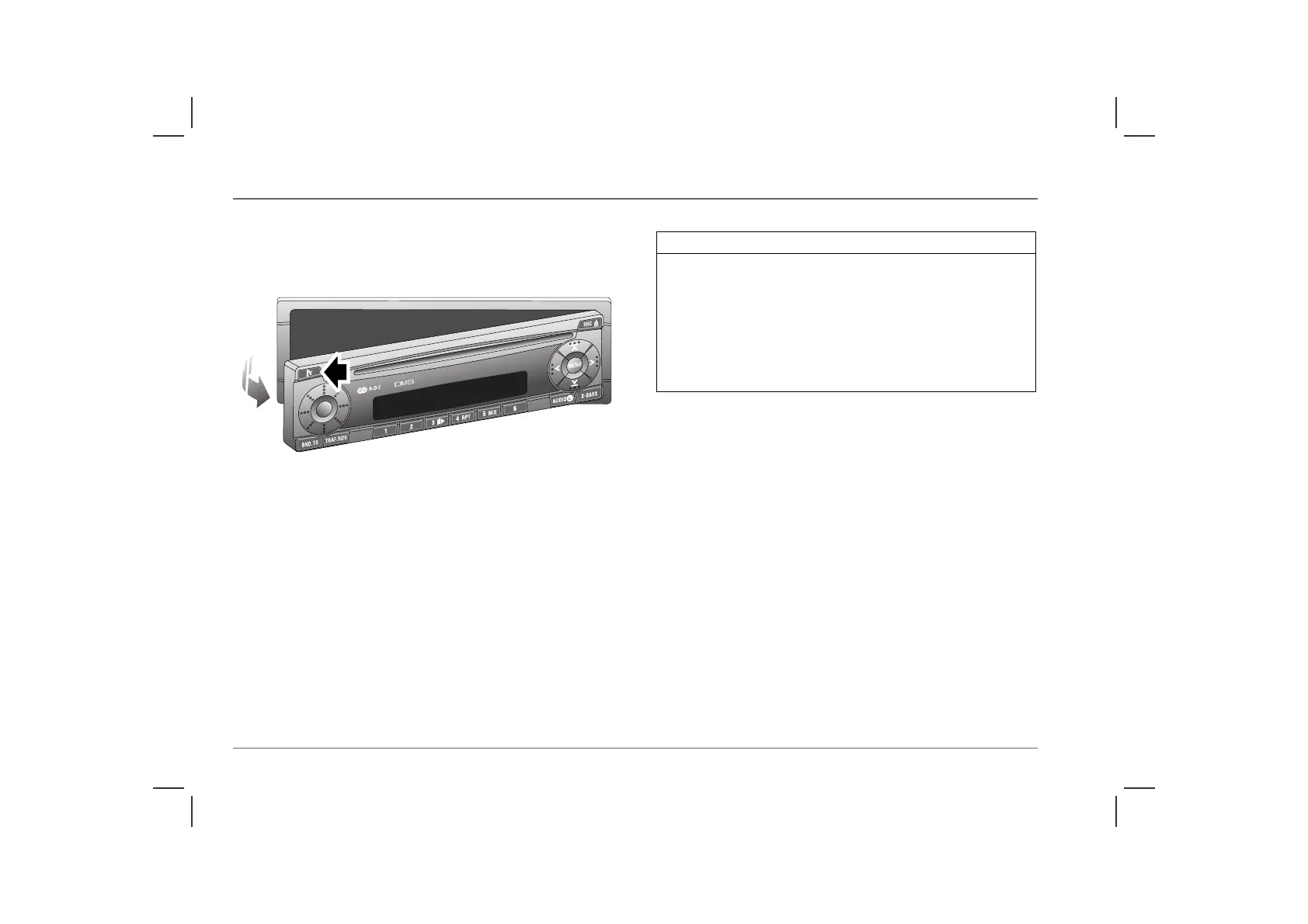
Press the release button (arrowed in illustration) to unlock the
control panel, then pull the control panel away from the audio unit
as shown.
If the audio unit is switched on when the control panel is removed,
the unit switches off automatically and switches back on when the
control panel is replaced.
NOTE: If a CD is loaded, it need not be ejected before removing the
control panel.
Replacing the control panel
Place the right side of the panel into position, then push the left-
hand side into the front of the audio unit until it clicks into place.
AS0028
IMPORTANT
• DO NOT subject the control panel to severe shocks, or expose it
to direct sunlight or other sources of heat.
• Avoid direct skin contact with the electrical contacts on the back
of the control panel. Periodically, clean the contacts on the back
of the control panel and the matching contacts on the audio unit
with a clean, dry, lint-free cloth. Use methylated spirits if
available.
• When replacing the control panel, do not press the display.



 To Next Page