28
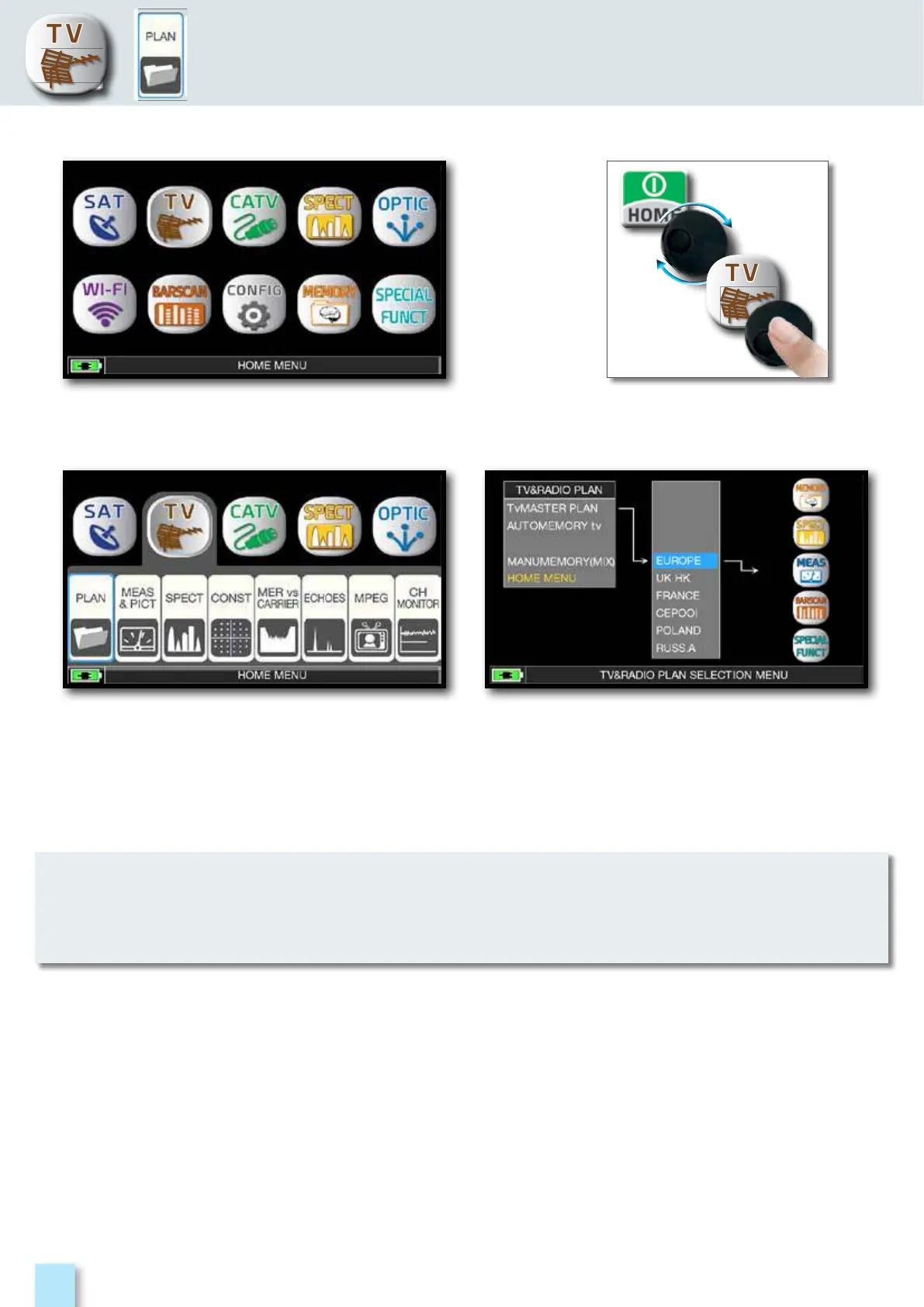
Press the “HOME” key.
Touch “TV” and then “PLAN”
or use the encoder to access
at the TV canalizations list.
Touch directly the desided canalization
or use the encoder. At the end touch
“MEAS” to make the measure or “SPECT”
for visualize the spectrum.
TV MEASURE
o
r
The chosen canalization and channel will remain in memory also if you change mode
(CATV/SAT) or if you switch off the meter.



 To Next Page