55
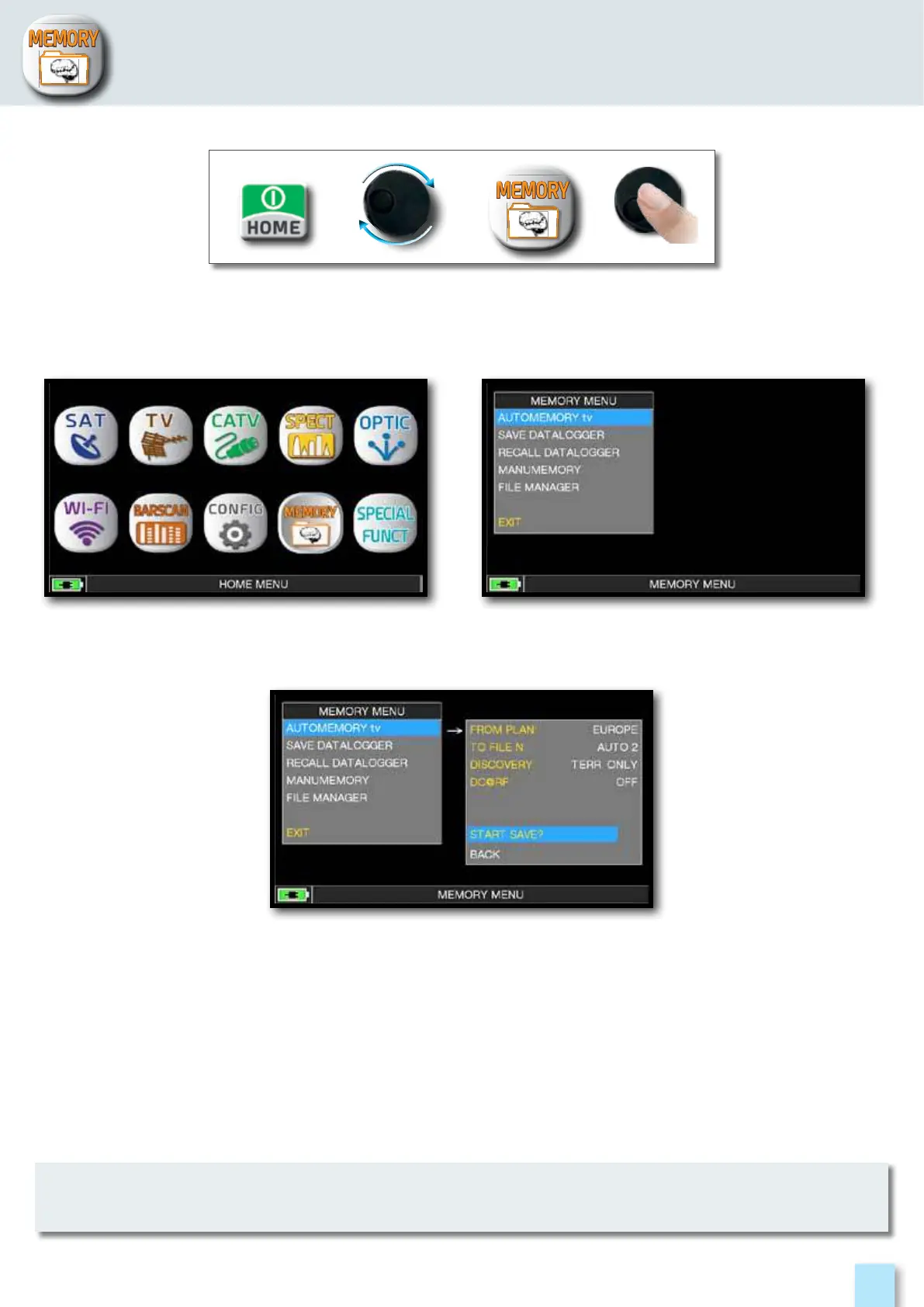
Press the “HOME” key. Touch “AUTOMEMORY tv”
or use the encoder.
___________________________________________
______
If the words “START OVERWRITE” appear, the selected file will be overwritten.
wait a few mins, the meter indicates the recorded ANALOG & DIGITAL CHannels.
MEMORY:
Set the desired parameters:
Touch “to FILE N” and select the destination file “AUTO” where the search must be saved.
Touch “DISCOVERY” and set the channel search mode:
- TERR ONLY (terrestrial only)
- TERR & CABLE (terrestrial & cable)
- Touch “DC&RF” and set the required power supply voltage.
Touch “START SAVE” to create a new channel plan and to activate the search.



 To Next Page