54
Or
Function available only in TV or CATV mode.
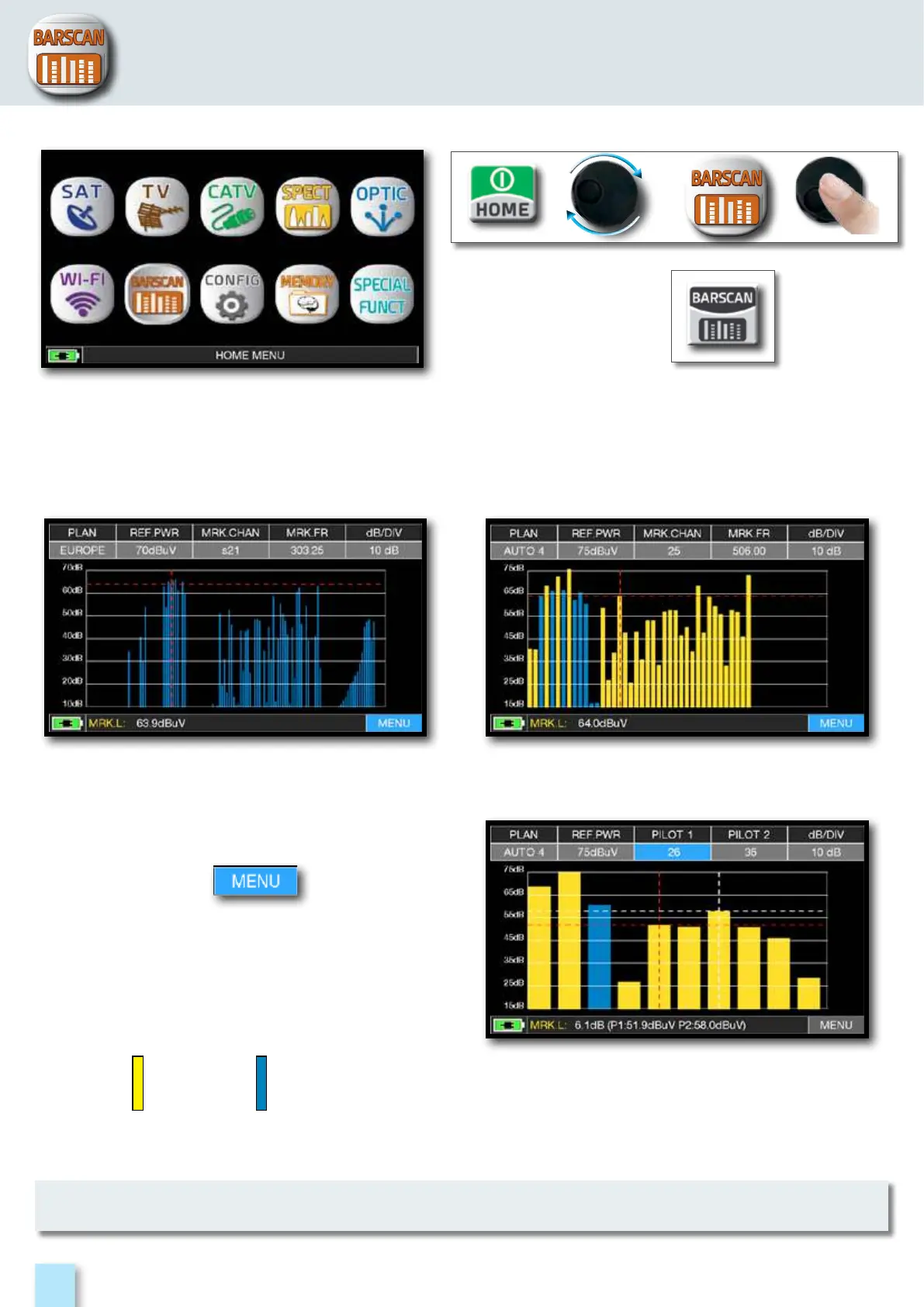
In the TV standard canalization the meter displays the level/power of all TV channels.
In AUTOMEMORY or MANUMEMORY PLAN the meter displays the memorized channels and
distinguishes Analog and Digital signals using 2 different colours.
Standard BARSCAN TV canalization.
Press the “HOME” key, then touch “BARSCAN”.
Touch “MENU” to choose the
bargraph mode: “LEVEL” or “TILT”.
BARSCAN (TILT GRAPHIC).
Touch “PILOT 1” and “PILOT 2” to select
the two channels to be used for the tilt
measurement (level difference).
BARSCAN AUTO/MANUALMEMORY.
BARSCAN
ANALOG
CHANNELS
DIGITAL
CHANNELS



 To Next Page