64
_____________________________
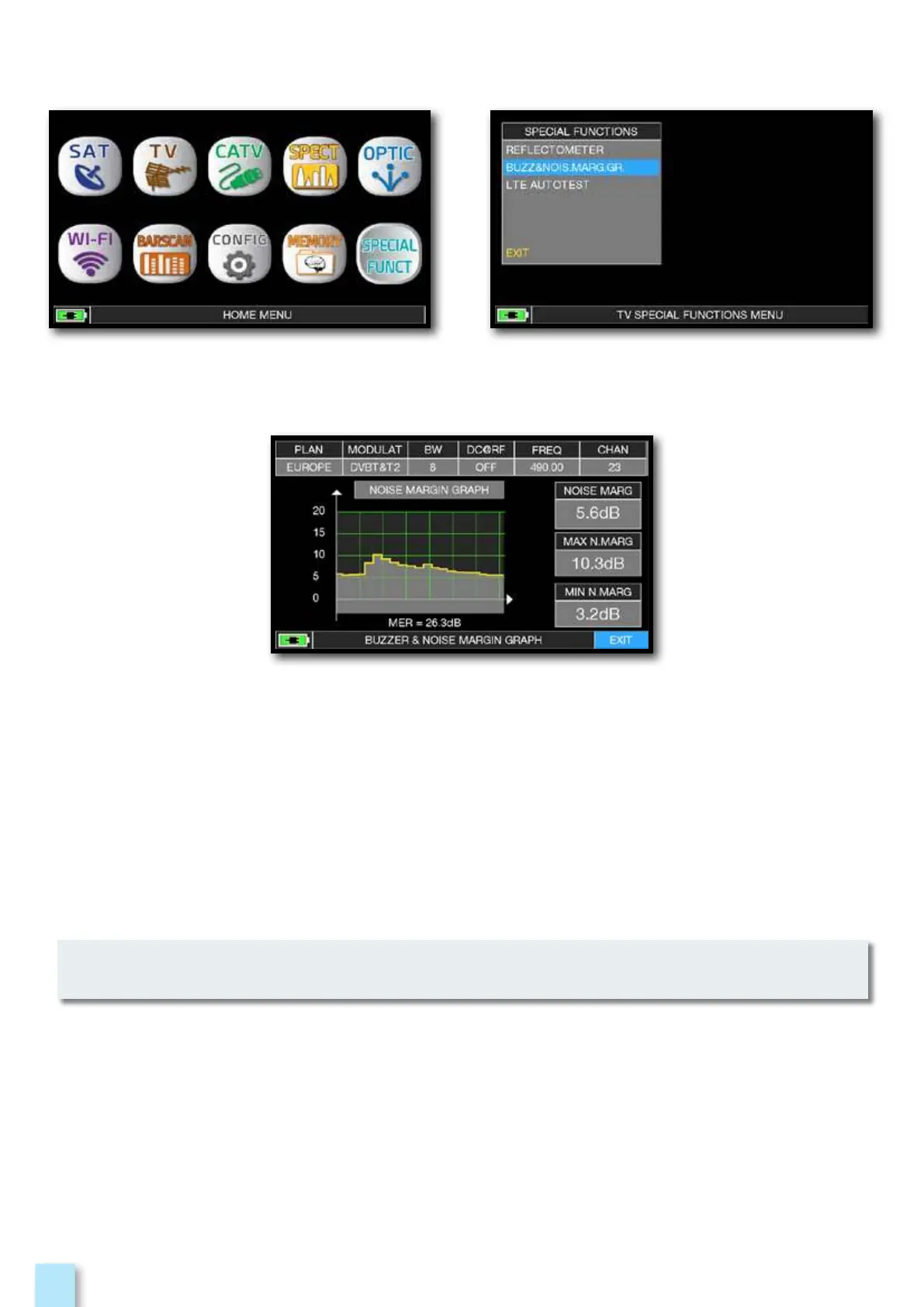
After selecting the TV/CATV canalization and
the desired channel press the “HOME” key.
Touch “SPECIAL FUNCT”,
and then touch “BUZZ & NOIS MARGIN”.
Buzzer & Graphic of the progress of the noise
NOISE MARGIN of the TV/CATV tuned channel according to time.
high tones = the BEST Noise Margin level
deep tones = the WORST noise margin level
Noise Marg = real time noise margin
Max n.marg = maximum stored noise margin
MER = MER in real time.
The function is also available in CATV and SAT mode.



 To Next Page