SYNC + PAIR
PAIR BOTH EARBUDS
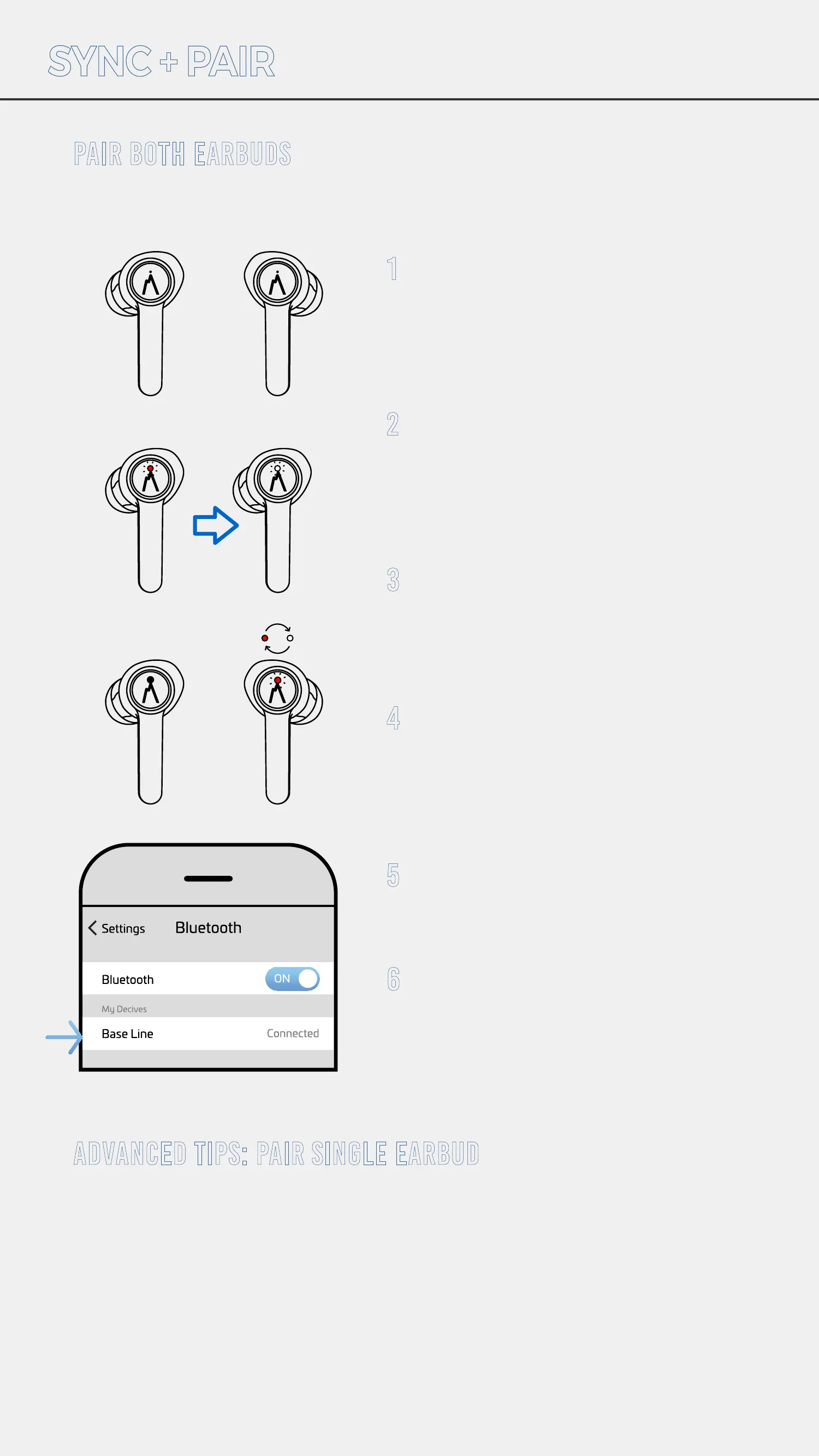
1
2
3
4
5
6
These earbuds will automatically sync to each other.
ADVANCED TIPS: PAIR SINGLE EARBUD
Remove earbuds from case and
place next to each other on a flat
surface. Be sure to place them
so the LED lights are visible.
Earbuds turn on automatically
when they are removed from the
case. When wearing earbuds
you will hear “Power On” from
both earbuds.
You will see a red LED light fol-
lowed by blinking white LED
lights,
(takes approximately 5 seconds.)
Once the earbuds are synced to
each other, the Right earbud will
flash red and white to indicate it
has entered pairing mode.
Go to Bluetooth settings on your
device and select “Base Line”.
Once the LED stops flashing red
and white on the Right earbud,
you are connected and ready to
experience true wireless sound.
L R
The RIGHT earbud is the only one that can be used for a single use. To
take phone calls or listen to music but still keep one ear free, simply
remove the RIGHT earbud from the charging case and tap and hold
control surface. The LED will flash RED and WHITE to indicate it has en-
tered pairing mode, approx 5 seconds. Go to Bluetooth settings on your
device and select “Base Line.” Once the LED stops flashing, you are
connected.


 To Next Page