CHARGE DEVICE
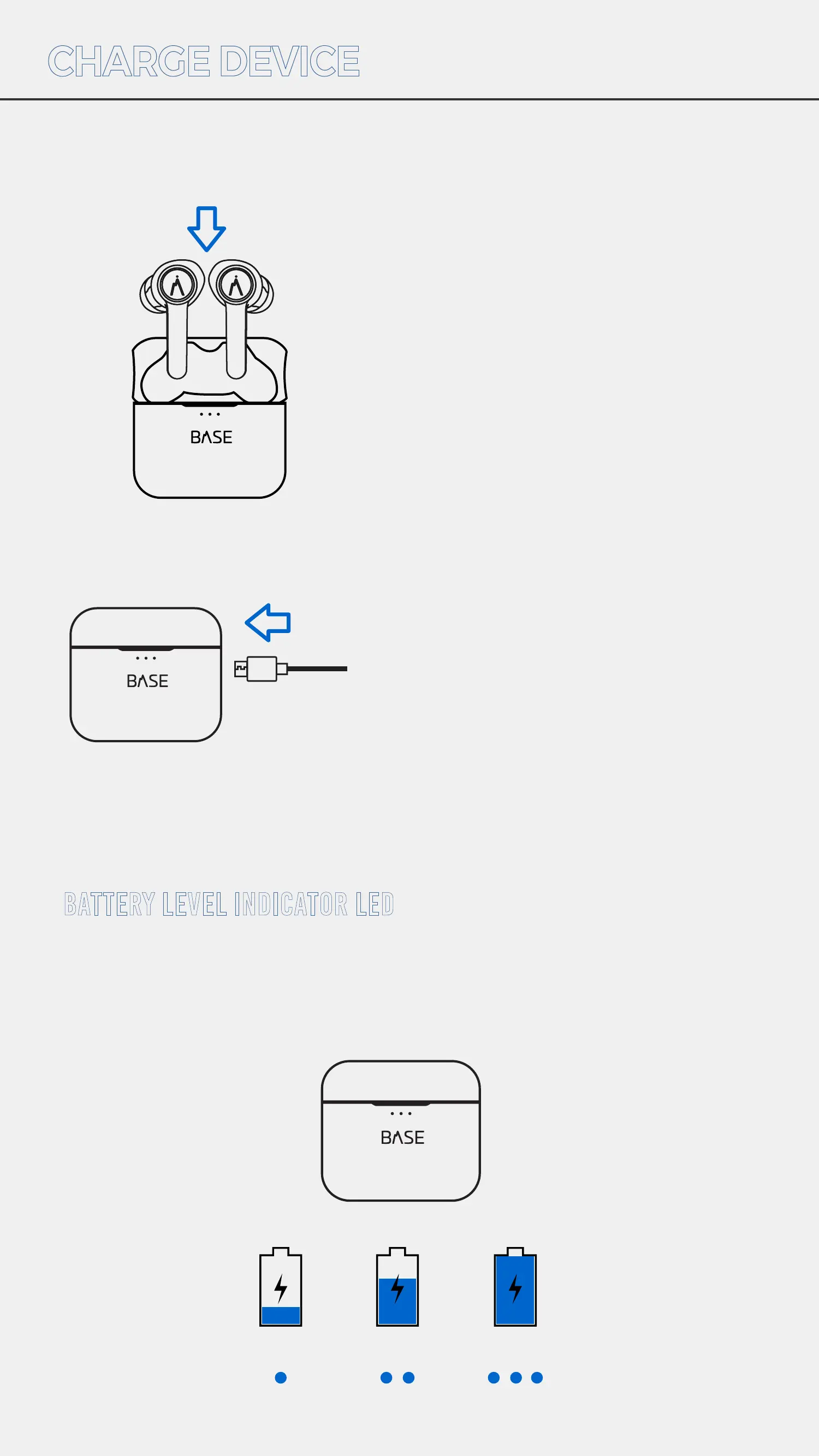
To charge your earbuds place
both earbuds in the charging
case. Make sure eartips face
inward so earbuds snap into both
charge ports. Then close the lid.
To charge the charging case, plug
the USB cable into the port on the
side of the case and then connect to
power. (AC adapter not included)
Open and close the charging case to check battery levels.
Each LED indicates 33% charge level.
When earbuds are charging, the
white LED will blink. Once they are
fully charged, the LED will turn o.
BATTERY LEVEL INDICATOR LED
33% 66% 100%


 To Next Page