E-8
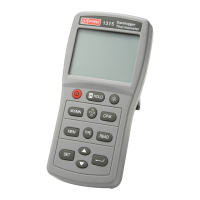
1. Display.
Button Press once
Press and hold
for 3 seconds
2. MODE
Enter MAX/MIN recording mode.
MAXÆMINÆCurrent reading (MAX/MIN)
Ç
cFrom MAX/MIN
mode will exit this
mode and return to
normal operation.
dFrom normal mode will
enter setting mode.
3.
M
▼
cFrom normal mode will turn the
backlight on or off
dFrom Read mode, decrements the
memory location number.
eFrom SET mode decreases the
value of the selected parameter.
Store the displayed
reading.
4.
R
▲
cFrom normal mode will enable or
disable the laser.
dFrom Read mode increments the
memory location number.
eFrom SET mode increases the
value of the selected parameter.
Read the stored data
from memory.
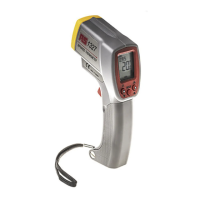
5. Measuring trigger :
c Trigger for turning the thermometer on.
Pull the trigger to turn on the thermometer and make a
measurement.
d In SET mode, pull the trigger to store the required value and
exit SET mode.
e Press and hold the
MODE button, then pull the trigger to enter
continuous measurement mode.
f In continuous measurement mode, pull the trigger to turn
the meter off.
6. Battery cover.
7.
Laser aperture.
8. Focal lens.
9. Type K thermocouple input socket.


 To Next Page