E-15
e Reading the memory data: Press and hold the R button for
3 seconds to enter READ mode. Press the ▲ or ▼ buttons
to select to desired memory data location. Press the
MODE
button to exit READ mode.
Ⅷ. SETTING MODE
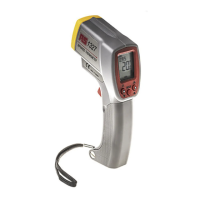
Pull trigger to turn the meter on. Press & hold the MODE button
for 3 seconds until “SET” appears on the LCD.
1. Parameter settings for measuring:
Under the infrared parameter setting mode, the LCD will
show . Press the
MODE button to select setting of “°C / °F”,
“ALM ON/OFF”, “ÈALM” “ALMÇ” and emissivity “
”. Pull the
trigger to exit setting mode and return to normal measurement
mode.
2. Parameter settings:
c “°C / °F”: Temperature unit / °F, press ▲
or ▼ to select units
°C or °F.
d ALM (Alarm function ON/OFF): Press ▲ or ▼ to select alarm
function on or off.
e ÈALM (Lo Alarm Function): Press ▲
or ▼ to set a value
as an alarm value. When this Lo alarm value is exceeded,
the beeper will sound and the “ÈALM” symbol will appear
on the LCD.
f ALMÇ (Hi Alarm Function): Press ▲
or ▼ to set up a value
as an alarm value. When this Hi alarm value is exceeded,
the beeper will sound and the “ALMÇ” symbol will appear
on the LCD.
Example:
To sound the alarm if the temperature exceeds 100°C or
falls below 0°C, set the Hi Alarm point to100°C and the
Lo Alarm point to 0°C.
SET


 To Next Page