E-16
Setting procedure:
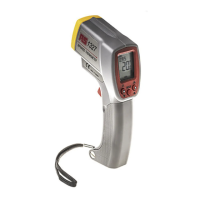
a). Press and hold the
MODE key for 3 seconds until the
LCD displays the “SET” mark.
b). Press “▲” button to select °C unit.
c). Press the
MODE button once to enter ALARM ON/OFF
setting mode, then press the ▲
or ▼ key to select “ON”
mode.
d). Press the
MODE button once to enter ÈALARM (Lo
Alarm point) setting mode.
Press the ▲
or ▼ button until the display reads 0.0°C.
e). Press the
MODE button once to enter ÇALARM (Hi
Alarm point) setting mode.
Press the ▲
or ▼ button until the display reads100.0°C.
f). Pull the trigger to store the setting and exit the setting mode.
g
(Emissivity): Press ▲ or ▼ to adjust the value.
h ▲ : Button for increasing the value. Hold down to increase
the parameter value rapidly.
i ▼ : Button for decreasing the value. Hold down to decrease
the parameter value rapidly.
Note:
After the setting procedure is terminated, the parameter
will be stored until changed.
Under setting mode, the backlight, laser, memory store
and read functions are disabled.
Pull the trigger to exit setting mode.


 To Next Page