E-10
2. Emissivity adjustment
c Apply black tape, matt-black paint or black magic marker to
the object if it is safe to do so.
d “
” is set at 0.95 to indicate correctly from a dark surface.
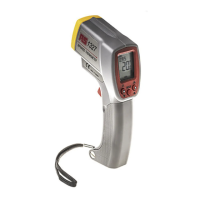
e Aim the sensor at the black surface, pull the trigger and
note the reading as T1.
f Remove the black tape or matt-black paint and aim the
sensor at the same area again. Pull the trigger and note the
reading as (T2).
g Change the emissivity value “
” until T2 and T1 are equal
as follows:
a). Enter setting mode (refer to
MODE button above).
b). Press
MODE button to select the
value setting.
c). Press ▲ or ▼ buttons to set desired value.
d). Pull the trigger to store the setting value and exit set mode.
The following table gives typical emissivity values for
common materials
Emissivity VALUES
Typical Emissivity Values; Metals
SURFACE EMISSIVITY
Zinc (oxidized) 0.1*
Galvanized iron 0.3
Tin-plated steel 0.1*
Gold (polished) 0.1*
Silver (polished) 0.1*
Chromium (polished) 0.1*
Iron and Steel
Cast iron (polished) 0.2
Cast iron (turned at 100°C) 0.45
Cast iron (turned at 1000°C) 0.6 to 0.7
Steel (ground sheet) 0.6
Mild steel 0.3 to 0.5


 To Next Page