Cables
Speaker cables should be as short and as heavy gauge as possible to prevent unwanted
power loss caused by high resistance, which can result in loss of both signal level and
quality. Heavy duty, twin core A.C. power cable is generally suitable.
Cable with a conductor size of 1.5mm² / 16AWG, 2.5mm² / 14AWG or 4.0mm² / 12AWG
is recommended. Note the losses caused by using thinner cable:
Cable length Wire size Loss @ 8 ohms Loss @ 4 ohms Loss @ 2 ohms
5 metres 1.0mm²/17AWG 2.15% 4.1% 7.75%
10 metres 1.0mm²/17AWG 4.12% 7.75% 14%
Rack Mounting
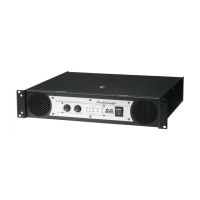
The AX series amplifiers are designed to be fitted into a standard 19" rack. They each
occupy 2 Units (2U) of rack space. If the amplifier is to be used in a mobile application, a
good quality, flight cased amp rack is essential if damage is to be prevented. We
recommend the use of 6mm rack screws with plastic or nylon washers underneath the
screw heads to avoid damaging the front panel.
Always use both the front and rear mounting holes, especially for mobile and touring
applications.
Trouble Shooting
No power on LED...
1. Check A.C. power cord/mains lead is connected to the wall supply and switched on.
2. Check A.C. power cord/mains lead is fully pushed into the amplifier socket.
3. Check that the amplifier is switched on.
4. UK only - Check fuse in the 'mains' plug.
5. Check A.C. supply house breaker / fuse.
No sound…
1. Check that the signal source (from mixer, CD player etc.) is working.
2. Check that the LEVEL control(s) are not in the minimum (anti clockwise) position.
3. Check that the speakers are connected correctly.
Distorted sound and PEAK LED(s) illuminated...
1. Possible short circuit on speaker cable or cabinet. Change speaker cable and check
cabinet.
2. If only on channel A, check a 4 core speaker cable is not being used with a speaker that
links PIN1+ to PIN2+ of the Speakon connector.
One or Both Amplifier channels stop working briefly…
(one or both Protect LEDs illuminate briefly)
1. Check the ventilation holes both front and rear for good air flow.
2. Check that the speaker load on each channel is not less than 2 ohms.
3. Check that the amplifier is not being over driven - red peak LEDs should not be illuminated
'continuously'.
Amplifier stops working and one or more PROTECT LEDs are illuminated…
1. The amplifier is in an over temperature or fault condition. See PROTECT LED section for
more information.
STUDIOMASTER AX Amplifier Series
STUDIOMASTER AX Amplifier Series 7


 To Next Page