11
It’s Under Control
®
CHAPTER 2 | INTRODUCTION
IMPORTANT NOTES
Please read these important notes about the T1-B:
The T1-B should be placed in an area where it is around normal room
temperature (between 60° F to 90° F).
Do not let the T1-B get wet. It should not be handled with wet hands or
placed in an area where it could get wet.
Do not subject the T1-B to smoke, dust, or vibrations.
Only use the power supply that is provided with the T1-B. Using the
wrong type of power supply may result in damage to the battery or
electronic components.
Do not disassemble the unit. Service of the T1-B should be performed
by authorized personnel only.
CLEANING
To clean your T1-B, lightly dampen a lint-free cloth with a mild detergent,
and wipe the keypad and outer surfaces.
BATTERY AND DOCKING STATION
The T1-B uses a Lithium-Ion rechargeable battery. This battery does
not exhibit any type of “Memory Effect” from being charged too often.
Since the T1-B can safely be charged after each use, a docking station is
included for convenience. If left out of the docking station, the T1-B will
remain in sleep mode for 1 – 2 months before shutting down. At that point
the battery must be recharged.
If the T1-B battery capacity is reduced to approximately one hour of
remaining run-time, the Status LED will illuminate red while the unit is
powered-up.
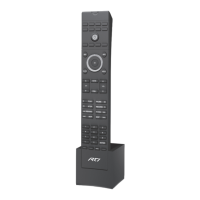
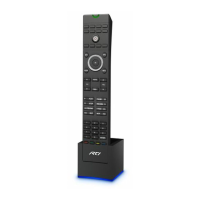
The T1-B Docking Station can be placed on a at surface such as a shelf
or table, or it can be mounted to a wall using the mounting holes on the
back of the unit. The docking station LED illuminates to indicate a charge
in progress. The LED will turn off when the battery in the unit is fully
charged.
A fully discharged battery will take approximately 2-4 hours to completely
re-charge.
The T1-B can remain in the docking station indenitely without damage to
the battery.


 To Next Page