15
It’s Under Control
®
CHAPTER 3 | OPERATION
GETTING STARTED
Start by inserting the battery connector into the mating plug on the T1-B.
Make sure the connector is oriented properly before attempting to insert it.
The T1-B is turned-on by touching any keypad button. If the tilt sensor is
enabled, picking up the unit will also turn it on.
THE SOURCE BUTTONS
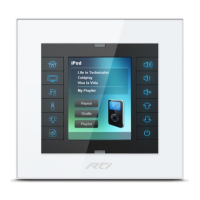
The eight source buttons at the top of the T1 keypad have a special
function, so they behave differently from the other buttons. These buttons
are used to select the active source “page.” Whenever asource button
is selected, all of the other buttons on the keypad will switch to the
programming associated with that page. In order to indicate the active
page, a blue LED is always illuminated behind one of the source buttons.
Despite their special function, the source buttons can be programmed to
run commands or macros in the same way that the other buttons can.



 To Next Page