VX88-18G USER GUIDE
www.rticorp.com
22
Web GUI Firmware Update
The Web GUI of the VX88-18G Matrix is used to congure and control the product through a web portal. The
VX88-18G can be accessed on any internet connected device including: tablets, smart phones and laptops
that are sat on the same network as the Matrix.
As the Web GUI is used to update the main Matrix rmware, it is important to ensure that the Web GUI
rmware is the latest version before updating the main Matrix rmware. Please check the reported rmware
versions against the versions available to download from the RTI website.
To update the Web GUI rmware:
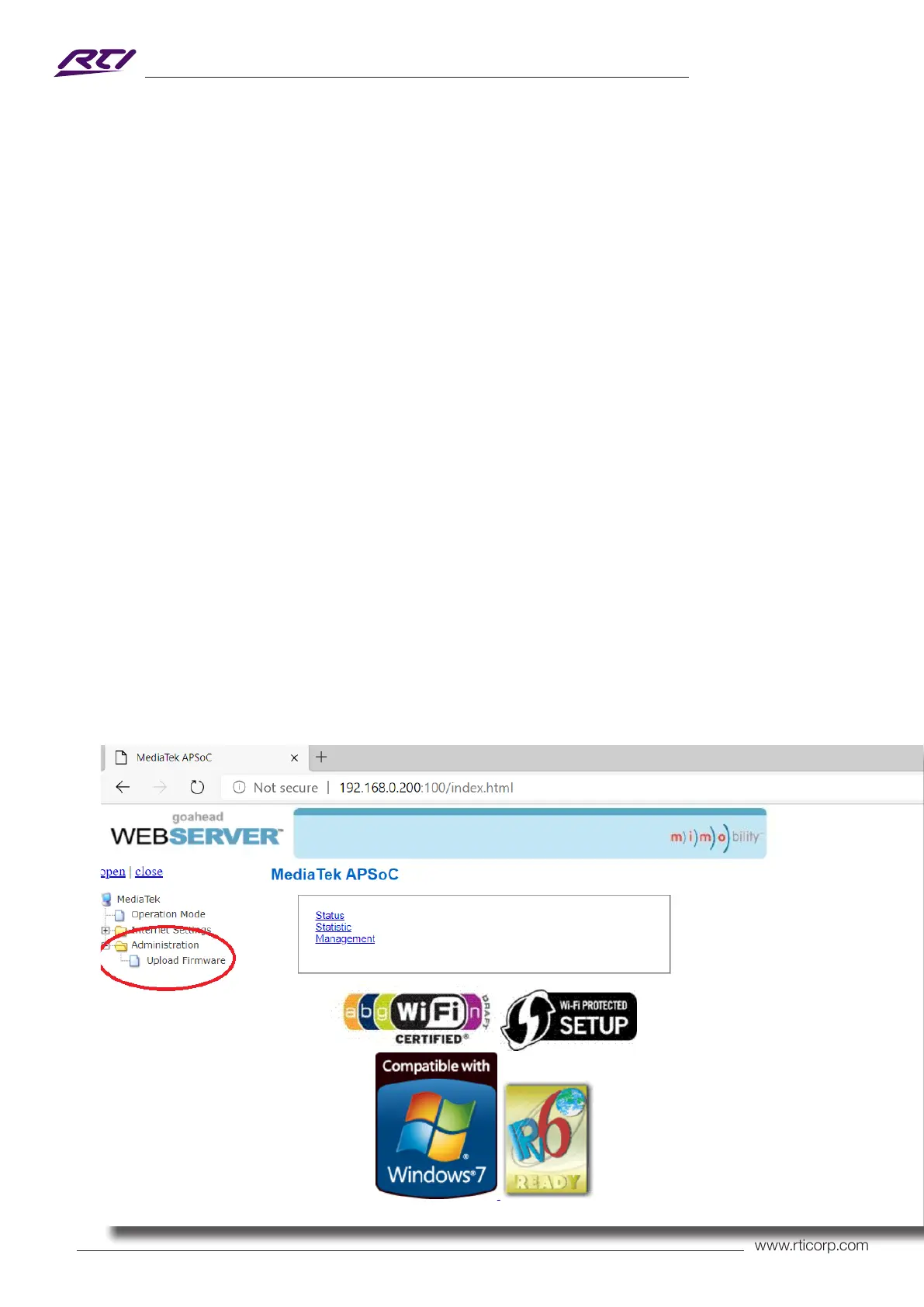
1) Login to the Web GUI update menu:
Default IP Address is: 192.168.0.200:100
Default Username is: RTI Default Password is: RTI123
Please Note: the username/password follows the Admin username/password as per the Web GUI, which
would be changed upon rst entering the Web GUI.
The IP Address may dier if network settings have been updated. If this is the case, please replace the
following with the products current IP address: xxx.xxx.xxx.xxx:100.
2) Once the Web GUI menu interface has been accessed, expand the ‘Administration’ le in the menu tree by
clicking the small ‘+’ icon next to the le.
3) Select ‘Upload Firmware’:



 To Next Page