Page | 10
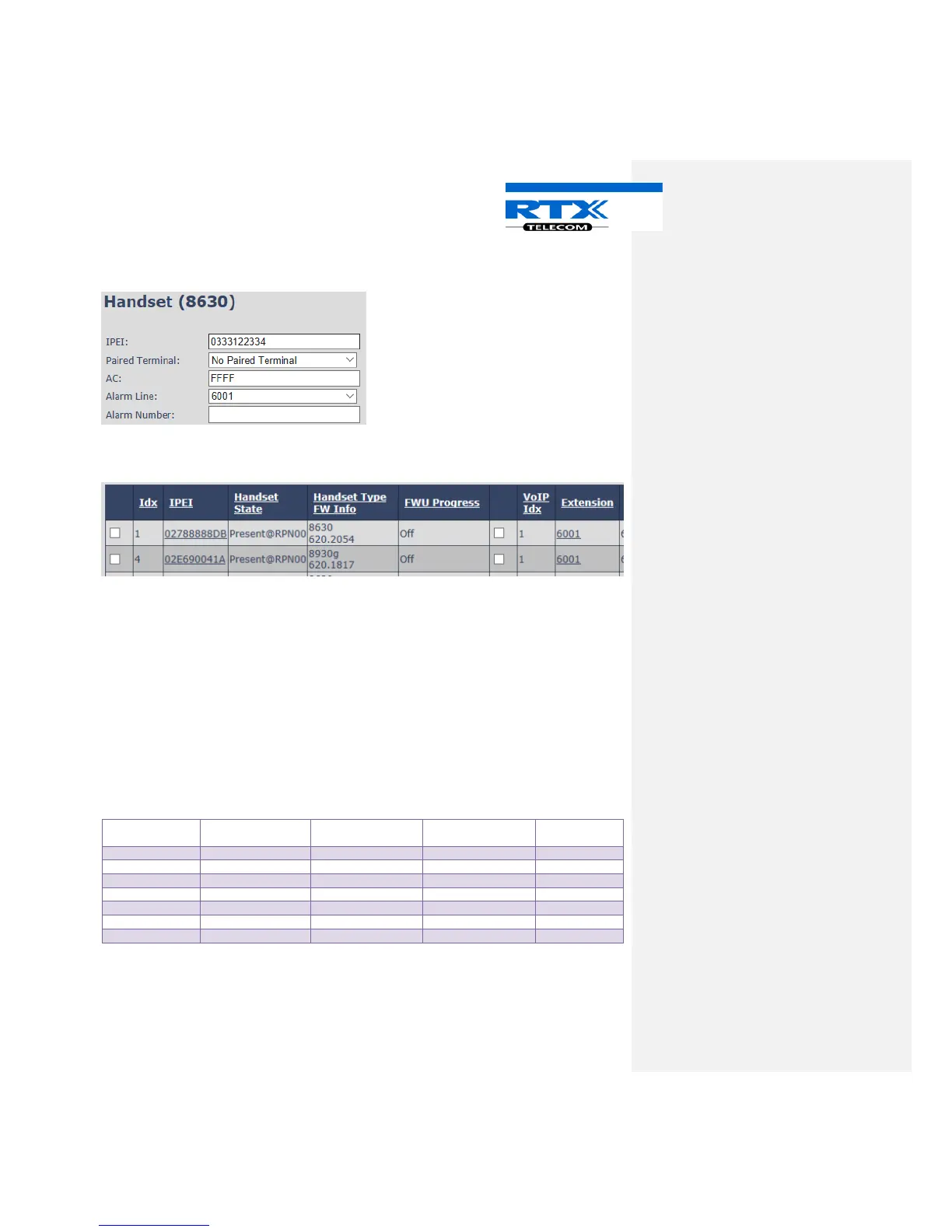
On the handset page, choose “Paired Terminal” and select the Idx. number of the headset that you want to
pair to the handset.
Press – Save
Now headset and handset is paired.
The headset gets the same ext. as the handset.
NOTE: When Headset is paired with a handset, it is possible to register a new terminal with the extension
that the headset had before pairing.
6.5 Decoupling
If you want to decouple a handset and headset, press the IPEI link of the headset that you want to
decouple.
On the headset page choose “Paired Terminal” and select No Paired Terminal and press save.
NOTE: The headset will DECT de-register and announce “Out of range” followed by “Headset not
subscribed”. The headset has to be re-registered.
6.5.1 Deregistered



 To Next Page