Page | 7
6 Register headset with phone system
The RTX8930 headset is registered on the phone system, in the same way as a normal DECT phone.
The default PIN code is “0000”
6.1 Register on DECT network
1: Enable registration on the base stations as you would a normal phone (See Base station manual).
2: Put the headset in registration mode by pressing the Hook ON/OFF + Volume+ and Volume- key, for
more than 5 seconds. The headset is in subscription mode when the LED makes short blue flashes and voice
prompt announce “registering”.
3: The headset now connects to the base station. On success voice prompt, announce “Headset subscribed”
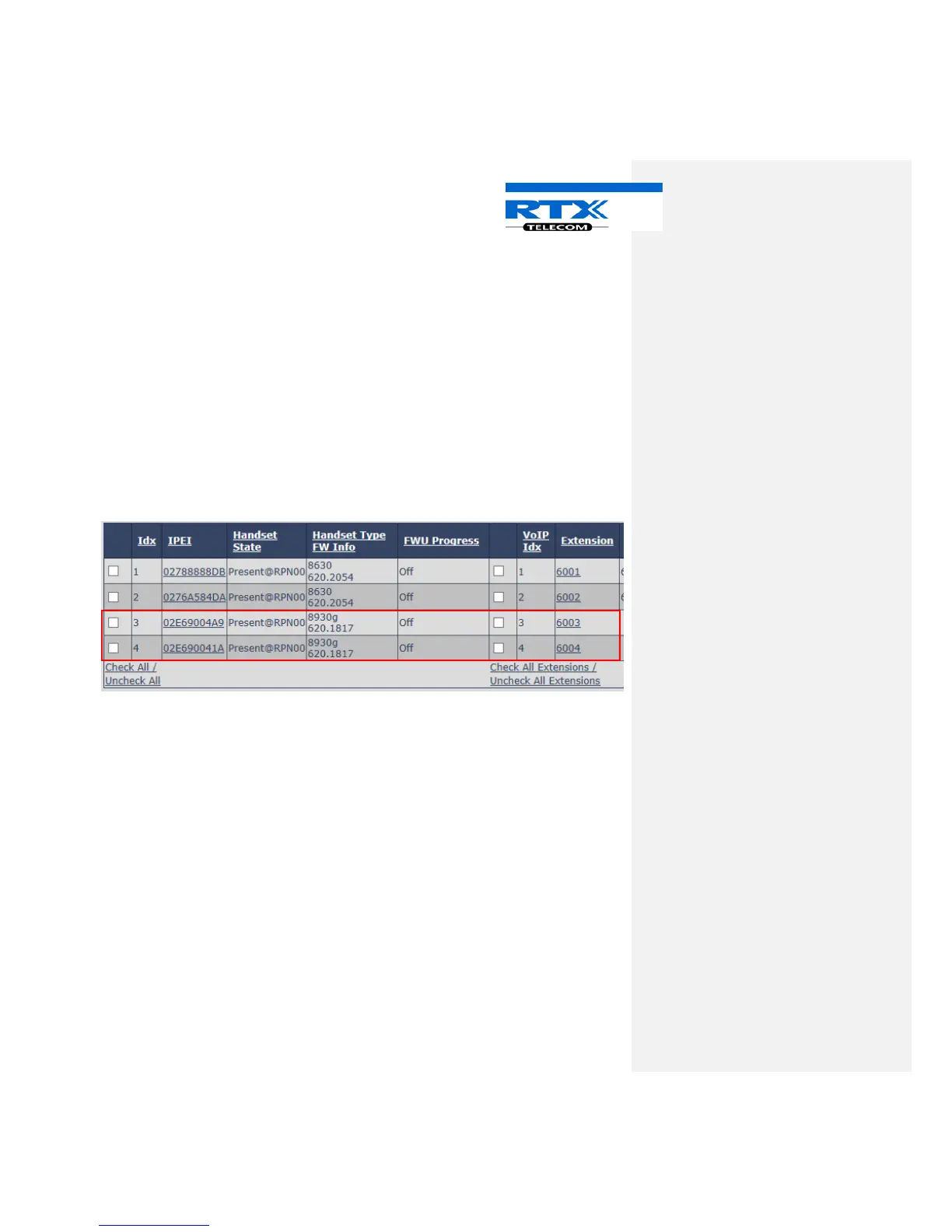
You are now able to see the headset on the extension page:
In this case 2 headsets are registered with ext. 6003 and 6004.
At this stage the headset is not paired with a handset. You can call the headset by using the assigned ext.
number and answer the call by pressing HOOK ON/OFF Key.
6.2 Registration failed
If the registration fails, the voice prompt will announce “Headset not subscribed”.
Before trying to register the headset again, please check the following:
• Voice Prompt announce “Registering”
• Headset is within range of base station.
• Extension not in use.



 To Next Page