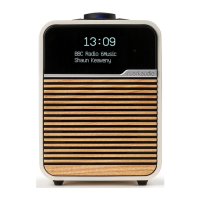
Line in
Listen to an external audio device using a 3.5mm
stereo jack cable connected to the Line in socket on
the back of your R1.
Line in input levels
Adjust the input level by selecting MENU > Input level
and choose the highest level that does not distort - if
it distorts, turn down the input level.
1 - Devices with high output level, eg CD some players
2 - Most devices
3 - Devices with low output, eg some smartphones
If your external audio source has a volume control
you may need to adjust it for best performance. If
it’s too high the sound may distort; if it’s too low the
playback volume may be too low and lack bass.
USB
Your R1 plays most audio tracks stored on a USB C
ash drive. Simply plug it into the USB socket on the
back and change the source to USB.
Playback is automatically shued.
Press
or to skip to the previous or next track
and press to pause playback or restart a track.
If a USB ash drive is not detected, it will show
No device.
Your R1 has a 5W, 1.0A USB power output and will
charge most devices. It may not charge devices that
require more than 5W.
Headphones
Connect your headphones to the 3.5mm stereo jack
socket on the back of your R1.
Headphone volume is adjusted independently from
speaker volume, so when headphones are plugged in
the volume is shown as Volume
.


 To Next Page