Copyright © 2016 Ruckus Wireless, Inc. Page 4 of 4
Published September 2016, Part Number 800-71078-001 Rev B
Removing the AP from the Optional Secure
Mounting Bracket
A Gently press the unit removal pin (A in Figure 15) into the access hole
on the end of the AP to release the bracket locking tab in the upper
keyhole.
Figure 15. Removing the AP from the secure mounting
bracket
B Slide the AP toward the unit removal pin and remove the AP from the
bracket.
TROUBLESHOOTING
• If required, you can reset the AP to its factory default settings by using
a straightened paper clip to press and hold the reset button located
between the POE IN and 12VDC ports, for six or more seconds.
CAUTION: DO NOT DO THIS UNLESS SO INSTRUCTED. (Doing this
resets the AP to its factory default settings.)
• Refer to the Ruckus Wireless Unleashed Access Point Online Help for
information on configuring and operating the AP. This document is
available at
https://support.ruckuswireless.com
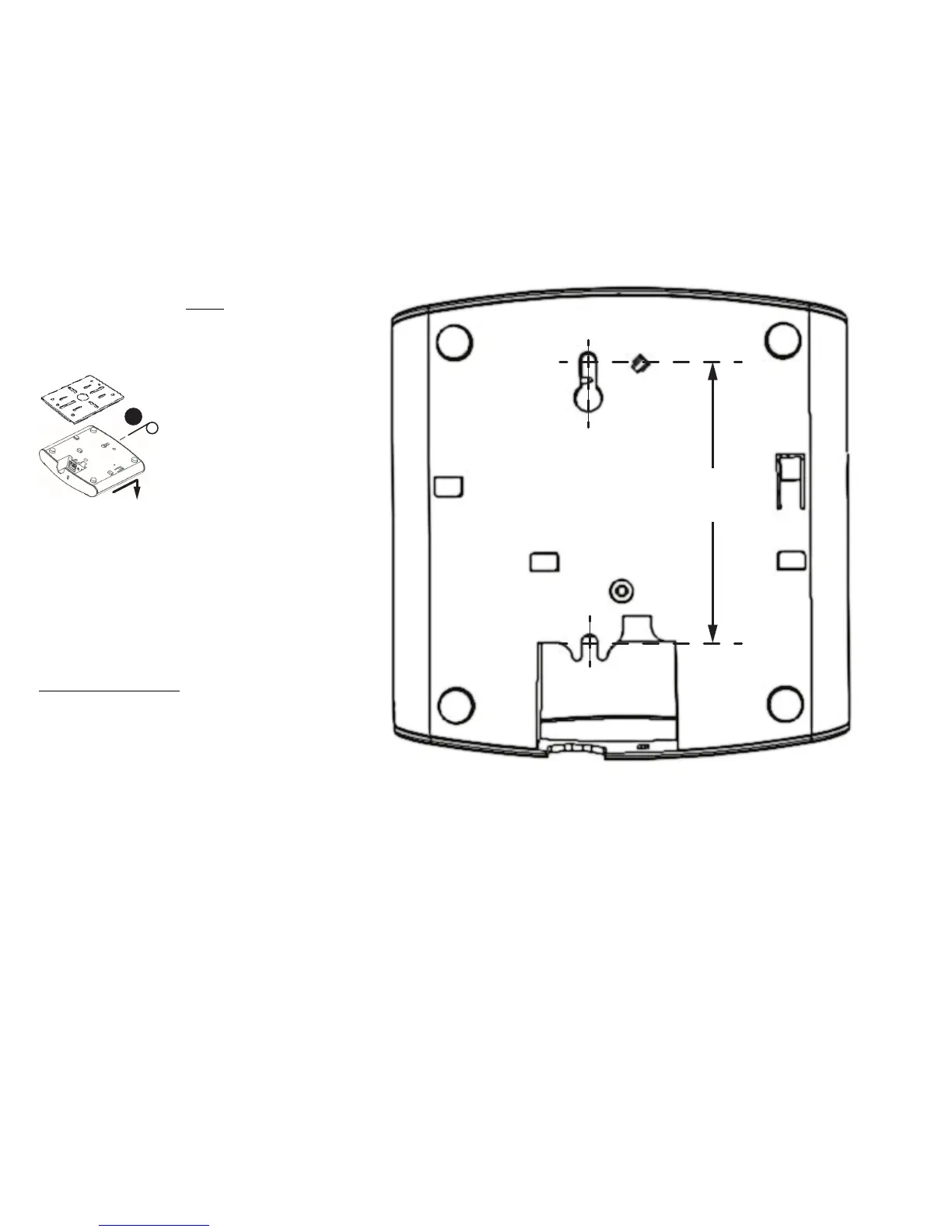
Mounting Template:









 To Previous Page