FAQs FAQs About the Wireless Configuration
17
4. Configuring the Distance
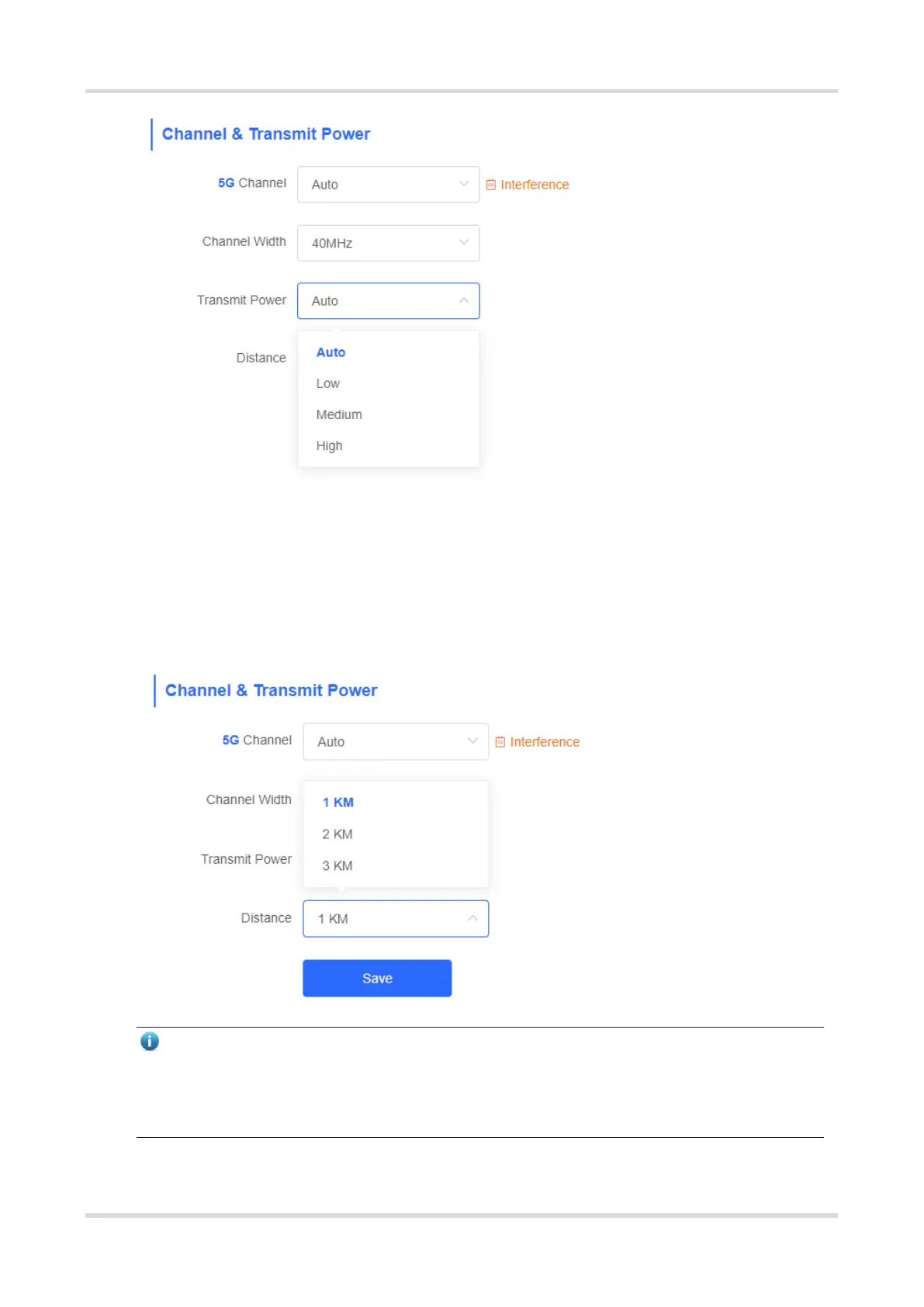
Choose Wireless > WDS > Channel & Transmit Power > Distance.
It is recommended that the configured distance between the NVR and camera be greater than their actual
distance. If the configured distance is much smaller than the actual distance, the wireless performance will
deteriorate, and the WDS connection may fail.
Note
Only RG-EST310, RG-EST310 V2, RG-EST350, and RG-EST350 V2 bridges support the distance
configuration. RG-EST310 and RG-EST310 V2 bridges support a maximum distance of 1 km. RG-EST350
and RG-EST350 V2 bridges support a maximum distance of 5 km.


 To Next Page
 Loading...

