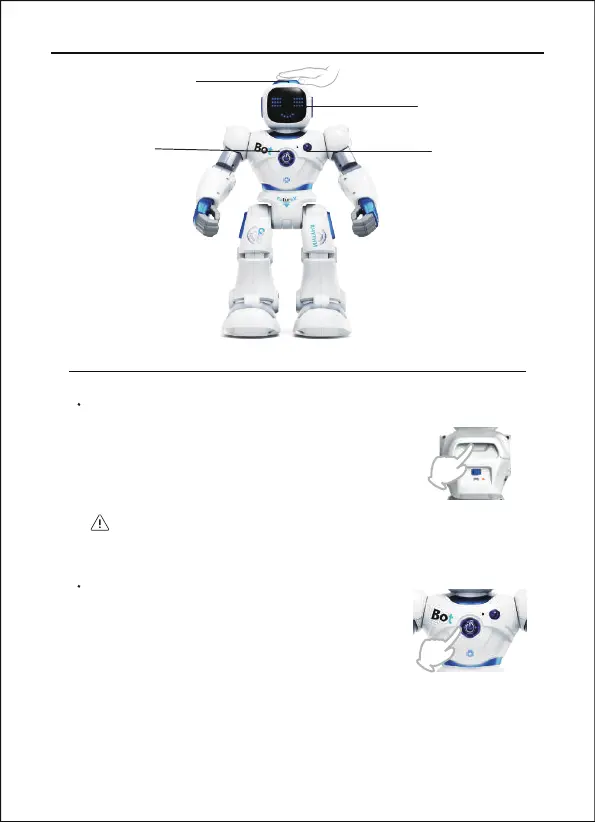
Turn ON/OFF
Press the ON/OFF button on the back of the
robot to start. The robot introduces himself
while performing some movements and
sounds.
The robot should remain on the floor.
1088 User Manual
Head Tactile Sensor
Record Button
LED Emoji Eyes
Reset Button
Copyright ©2022 Ruko All Rights Reserved. 17
Reset Button
The reset button can be used to suspend the
program or wake up the robot in standby
state.


 To Next Page