Power on/Power o
Sta/Stop Recording
Switch Modes
Connect Thumb 2 to a PWM pad of FC to congure
QR Code
Conguration Mode
Remote Control Mode
Micro SD Card Error
Red light ashes quickly
Green light ashes quickly
Sensor Module Error
Power on/Power o Green light Red light
Long press Power/Shutter button, light blinks green for
3 seconds and turns to solid red, camera powers on.
Long press Power/Shutter button, light goes o,
camera powers o.
Sho press Power/Shutter button, camera stas
recording, light blinks red slowly.
Sho press Power/Shutter button, camera stops
recording, light turns to solid red.
Double press Power/Shutter button, camera changes to
QR conguration mode, light turns to solid green.
Double press Power/Shutter button, camera quits QR
mode, light turns to solid red.
1. Applying succeeds, light turns to solid red
2. Applying fails, light stays solid green
Scan QR code via RunCam App
Basic Operations
06
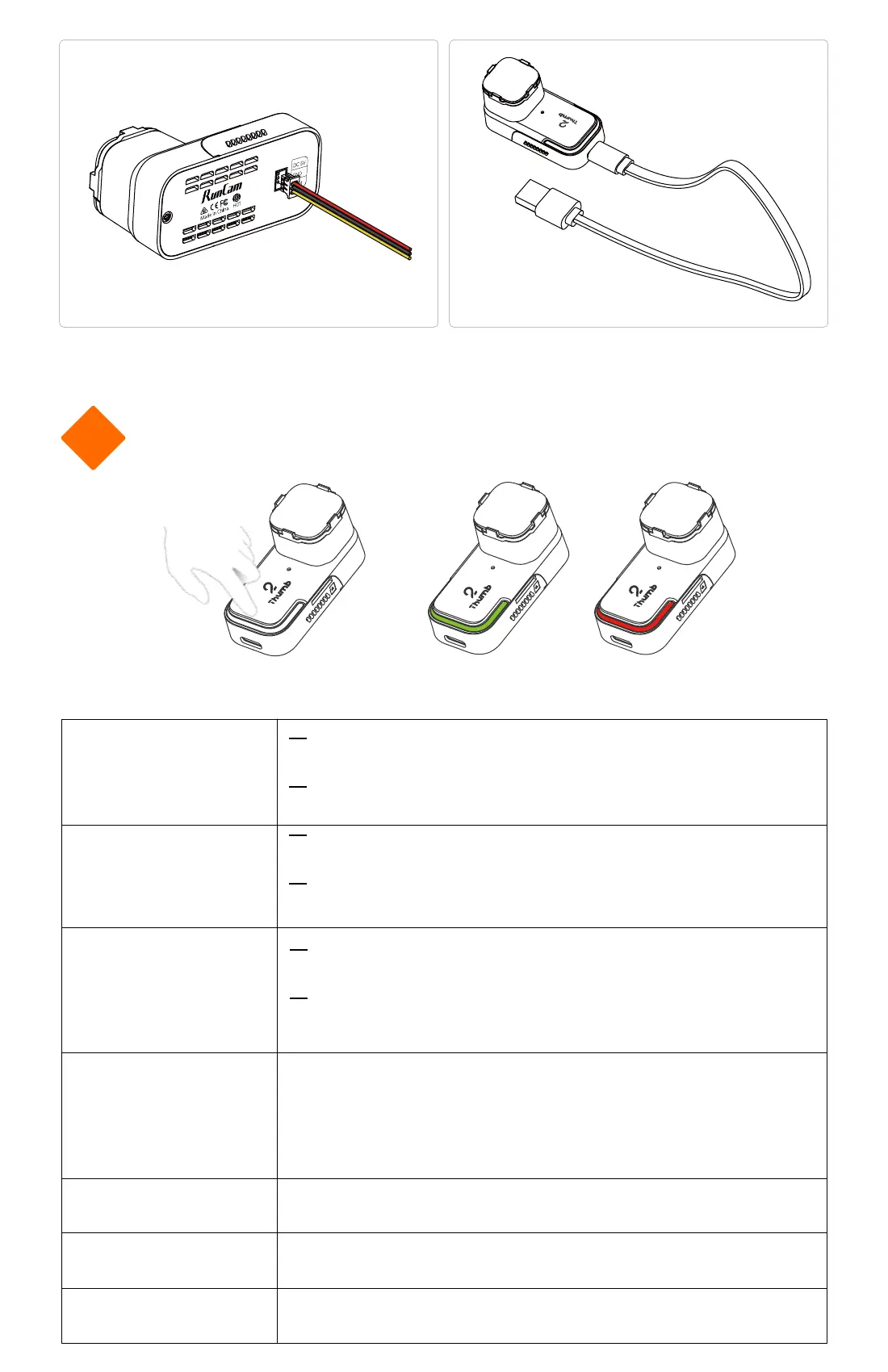
Power Supply from BEC (5V)
Power Supply from Power Bank


 To Next Page