Need help?
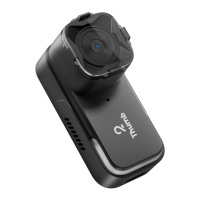
Do you have a question about the RunCam Thumb and is the answer not in the manual?
Connects the camera to a power source for operation.
Details on booting and starting/stopping video recording using the button.
Steps to create a file to enable simultaneous video and gyroscope data recording.
Provides contact information or a link for customer assistance.
 General
| Frame Rate | 60fps |
|---|---|
| Weight | 9.8g |
| Model | RunCam Thumb |
| Video Format | MP4 |
| FOV | 150° |
| ISO | Auto |
| USB | Micro USB |
| Storage | MicroSD Card (Up to 256GB) |
| Power Input | 5V |
| Shutter | Rolling Shutter |
| Battery | None (powered via USB) |

 To Next Page