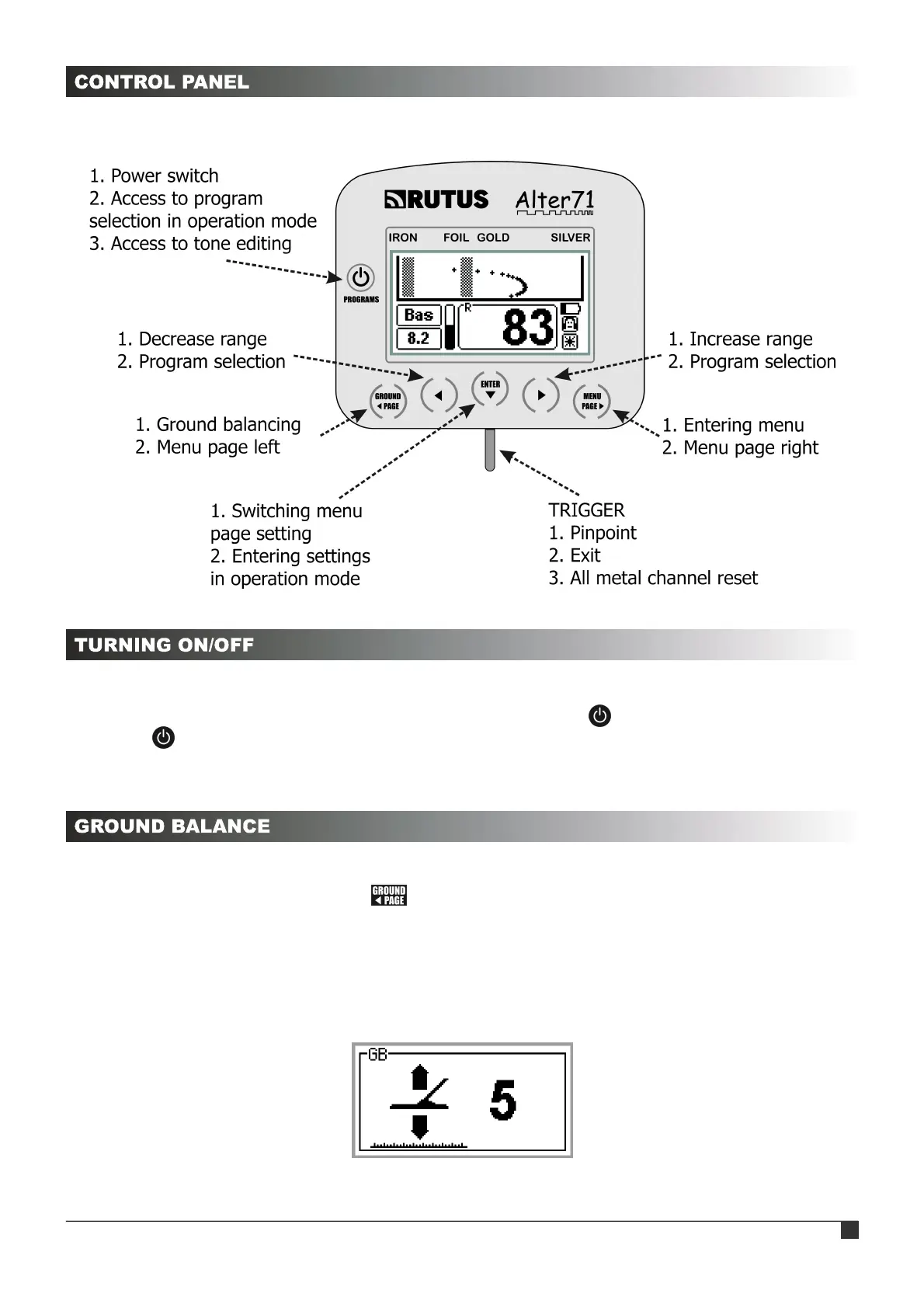
The picture below shows the functions of individual buttons on the control panel.
The detector is turned on by pressing the button with the power icon. The detector can
be turned off only from the operation mode by holding the button for 1 second. In the
menu the button is used only to enter the tones editing screen. A short press of the button in
the operation mode does not turn the detector off but changes to the program selection mode.
After turning the detector on, the ground balance procedure must be completed. This can
be done at any time by pressing the button. When the message « Put search coil UP Then
pull trigger » is shown, the search coil should be lifted at least 0.5 m above the ground (away
from metal objects) and pull the trigger for a moment. The display will then show the
« Preparing Data » message, this means that the processor is collecting the data necessary for
operation. After this process ends the « OK » message will appear followed by the main screen
of ground balance (see picture below).
RUTUS Alter71 ver. 2.0 4



 To Next Page