EasyManua.ls Logo

Ryobi 705r - User Manual

Ryobi 705r
26 pages
Print Icon
To Next Page IconTo Next Page
Loading...
FOR QUESTIONS, CALL 1-800-345-8746 in U.S. or
1-800-265-6778 in CANADA
www.ryobi.com
IMPORTANT MANUAL DO NOT THROW AWAY
7
0
5
r
T
r
i
m
m
e
r
P
l
u
s
®
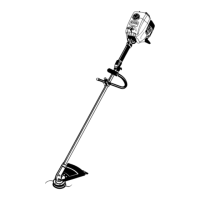
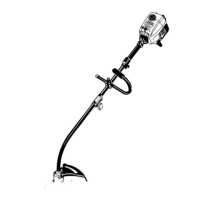
OPERATOR’S MANUAL
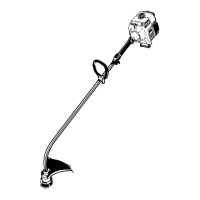
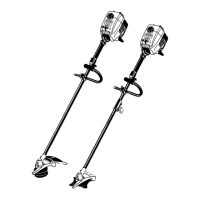
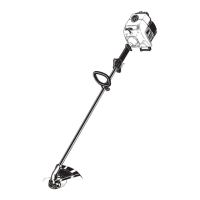
2-Cycle Gas Trimmer
705r – 725r

Other manuals for Ryobi 705r

Questions and Answers

  • D
    David JordanJul 29, 2025
    Why won't my Ryobi Trimmer engine start?
    • L
      Lisa WoodsJul 29, 2025
      There are several reasons why your Ryobi Trimmer engine might not start. It could be due to the ignition switch being OFF, so ensure it is turned ON. The fuel tank might be empty, requiring a refill. You may not have pressed the primer bulb enough; try pressing it fully and slowly 5-7 times. The engine could be flooded; in this case, use the starting procedure with the choke lever in the RUN position. Old or improperly mixed fuel can also be a culprit, so drain the tank and add fresh fuel mixture. Lastly, a fouled spark plug can prevent starting, so try replacing or cleaning it.
  • D
    Daniel WilliamsAug 2, 2025
    What to do if cutting head will not advance line in Ryobi 705r Trimmer?
    • M
      Mrs. Alicia WilliamsAug 2, 2025
      If the cutting head on your Ryobi Trimmer won't advance the line, consider these possible causes: * The cutting head might be bound with grass, so stop the engine and clean the cutting attachment. * The cutting head could be out of line; refill it with a new line. * The inner reel might be bound up, requiring you to replace it. * The cutting head could be dirty; clean the inner reel and outer spool. * The line might be welded; disassemble, remove the welded section, and rewind the line. * The line could be twisted when refilled; disassemble and rewind it. * Not enough line might be exposed; push the Bump Knob and pull out the line until 4 in. (102 mm.) of line is outside of the cutting attachment.
  • M
    matthewfordAug 6, 2025
    What to do if Ryobi 705r cutting line advances uncontrollably?
    • C
      Christy RandolphAug 6, 2025
      If the cutting line on your Ryobi Trimmer advances uncontrollably, it may be due to oil in the cutting head. Clean the cutting attachment to resolve this issue.
  • S
    Savannah MarshallAug 11, 2025
    What to do if Ryobi 705r engine lacks power or stalls when cutting?
    • R
      Ryan SmithAug 11, 2025
      If your Ryobi Trimmer engine lacks power or stalls while cutting, several factors could be responsible. The cutting head might be bound with grass, in which case you should stop the engine and clean the cutting attachment. A dirty air filter can also cause this issue, so clean or replace it. Old or improperly mixed fuel is another potential cause; drain the fuel tank and add a fresh fuel mixture. If these steps don't resolve the issue, the carburetor adjustment may be improper, and you may need to take it to an authorized service dealer for adjustment.
  • J
    Jason KhanAug 14, 2025
    Why Ryobi Trimmer engine will not idle?
    • J
      James LarsonAug 14, 2025
      If your Ryobi Trimmer engine won't idle, it could be due to a plugged air filter, so replace or clean it. Another possible cause is old or improperly mixed fuel; in this case, drain the fuel tank and add a fresh fuel mixture.
  • N
    Nancy AndersonAug 19, 2025
    Why Ryobi 705r engine will not accelerate?
    • J
      James StuartAug 19, 2025
      If your Ryobi Trimmer engine will not accelerate, it may be due to old or improperly mixed fuel. Drain the fuel tank and add fresh fuel mixture. Alternatively, the carburetor adjustment may be improper, and you may need to take the trimmer to an authorized service dealer for adjustment.
  • M
    matthewsmithAug 23, 2025
    Why is the idle speed low on my Ryobi 705r Trimmer?
    • T
      Tammy BlackAug 23, 2025
      If the idle speed is low on your Ryobi Trimmer, it could be due to improper carburetor adjustment.

Summary

Introduction

Thank You

Provides an overview of the operator's manual and its purpose for the user.

Product References, Illustrations and Specifications

Details on manual content, copyright, trademarks, and revision rights.

Service Information

Information on obtaining service, warranty, and dealer locations.

Contents of Carton

Lists all items included in the product packaging for verification.

California Emission Regulations

California Proposition 65 Warning

Warning about chemicals in engine exhaust known to cause cancer or reproductive harm.

Spark Arrestor Requirements

Legal requirements for spark arrestors in specific areas and how to obtain one.

Rules for Safe Operation

Safety Symbol Explanations

Explains the meaning of various safety symbols and their importance.

Important Safety Information

Key safety precautions and checks to perform before operating the trimmer.

Gas Trimmer Safety Warnings

Specific safety advice regarding gasoline handling and potential hazards.

Safe Operation Guidelines

Other Safety Warnings

Additional safety precautions for storing, transporting, and general use of the unit.

Save These Instructions

Advice to retain and share the safety instructions with other users.

Safety and International Symbols

Safety Alert Symbol Meaning

Explains the general safety alert symbol and its variations.

Read Operators Manual Warning

Emphasizes the importance of reading and following manual instructions.

Service Information Contact

Provides phone numbers for service inquiries in the US and Canada.

Personal Protective Equipment

Advises wearing eye, ear, and body protection during operation.

Bystander Safety Zone

Specifies a minimum safe distance for bystanders from the operating area.

Primer Bulb Operation

Instructions for using the primer bulb before starting the engine.

Fuel Type Requirement

Specifies the need to use clean, fresh unleaded fuel.

Operation Safety Symbols Explained

Rotating Cutter Hazard

Warning about severe injury from thrown objects and the rotating cutter.

On;Off Control Symbols

Explains the symbols for the ON/OFF stop control and their functions.

Hot Surface Hazard

Warning about hot engine parts like the muffler and cylinder.

Cutting Attachment Blade Hazard

Warning about the sharp blade on the cutting attachment shield.

Blade Usage Prohibition

Prohibits the use of blades with the unit to prevent serious injury.

Oil Indicator Symbol

Symbol indicating the need to check oil levels as per the operator's manual.

Choke Control Positions

Illustrates and explains the different positions of the choke control lever.

Know Your Unit

Unit Components Identification

Identifies key parts of the trimmer like handles, controls, and engine components.

Unit Applications

Describes the intended uses of the trimmer, including basic cutting and decorative trimming.

Assembly Instructions

Installing D-Handle (Model 705 r)

Step-by-step guide for attaching and adjusting the D-handle on the 705r model.

Installing J-Handle (Model 725 r)

Step-by-step guide for attaching and adjusting the J-handle on the 725r model.

Assembly: Cutting Attachment Shield

Installing Cutting Attachment Shield

Instructions for securely attaching the cutting attachment shield to prevent injury.

Oil and Fuel Information

Fuel Mixing Instructions

Detailed guide for mixing gasoline and oil at the correct ratio for engine use.

Blended Fuel Precautions

Advice and precautions for using blended fuels containing ethanol or methanol.

Fuel Additive Usage

Guidance on using fuel additives like STA-BIL® for fuel stabilization.

Fueling Safety Warnings

Crucial safety warnings related to gasoline flammability and the fueling process.

Starting and Stopping Instructions

Starting the Engine

Step-by-step procedure for safely starting the trimmer, including choke and primer use.

Stopping the Engine

Instructions on how to safely shut down the trimmer after use.

Operating Instructions: Click-Link System

Installing Add-Ons

Guide on how to attach optional accessories to the Click-Link® system.

Removing Add-Ons

Procedure for safely detaching optional accessories from the Click-Link® system.

Edging with Cutting Attachment

How to use the cutting attachment for edging tasks with the Click-Link system.

Operating Instructions: Trimmer Handling

Holding the Trimmer Correctly

Proper posture and grip techniques for operating the trimmer safely and effectively.

Adjusting Trimming Line Length

How to extend the trimmer line using the Bump Head™™ feature while operating.

Operating Instructions: Trimming Techniques

Tips for Best Trimming Results

Advice on angling, cutting force, and line usage for optimal trimming performance.

Decorative Trimming Method

Technique for performing decorative trimming around objects like trees and fences.

Edging Procedure (Model 725 r)

Specific instructions for edging using the 725r model's attachment.

Maintenance and Repair Instructions

Maintenance Schedule

Outlines required maintenance tasks and their recommended frequency for optimal performance.

Maintenance: Line Installation

Winding New Trimming Line

Step-by-step guide to winding new trimming line onto the SpeedSpool® inner reel.

Maintenance: SpeedSpool Procedures

Installing Prewound Inner Reel

Instructions for installing a pre-wound inner reel into the SpeedSpool®.

Releasing Inner Reel Line

Procedure for releasing trimming line from the inner reel when it does not advance.

Cleaning the SpeedSpool

Steps for cleaning the SpeedSpool® to ensure proper operation.

Maintenance: Air Filter;Muffler Cover

Removing Air Filter;Muffler Cover

Guide for safely removing the air filter and muffler cover for maintenance.

Reinstalling Air Filter;Muffler Cover

Instructions for correctly reattaching the air filter and muffler cover.

Maintenance: Air Filter

Air Filter Cleaning and Oiling

Detailed steps for cleaning, drying, and re-oiling the air filter as per schedule.

Maintenance: Carburetor Adjustment

Checking Fuel Mixture

Procedure to check and correct fuel mixture as a common cause of engine issues.

Cleaning Air Filter

Emphasizes cleaning the air filter for proper engine operation and as a pre-adjustment step.

Adjusting Idle Speed Screw

Steps for adjusting the idle speed screw to resolve idling issues.

Maintenance: Spark Plug and Parts

Replacing the Spark Plug

Instructions for removing, checking, gapping, and installing a new spark plug.

Replacement Parts List

A list of common accessories and replacement parts with their part numbers.

Cleaning and Storage

Cleaning the Unit

Guidelines for cleaning the exterior of the trimmer without damaging its components.

Storing the Unit

Recommendations for safe and proper storage, including short and long-term procedures.

Long Term Storage Procedure

Detailed steps for preparing the trimmer for extended storage, including draining fuel and oiling.

Troubleshooting

Specifications

California Emission Control Warranty

Warranty Rights and Obligations

Outlines the rights and responsibilities of owners and manufacturers regarding emissions warranty.

Owners Warranty Responsibilities

Details the owner's duties in maintaining the unit and seeking warranty service.

Manufacturers Warranty Coverage

Explains what the manufacturer covers under the emission control warranty and its terms.

Limited Two-Year Warranty

Warranty Terms and Limitations

Specifies the duration, coverage, and exclusions of the RYOBI product warranty.

Implied Warranty Disclaimer

Details limitations on implied warranties and disclaims responsibility for consequential damages.

Warranty Contact Information

Provides contact details for locating a service dealer and general inquiries.

Ryobi 705r Specifications

General IconGeneral
BrandRyobi
Model705r
CategoryTrimmer
LanguageEnglish

Related product manuals