EasyManua.ls Logo

Ryobi PBLRT01 - User Manual

Ryobi PBLRT01
40 pages
Print Icon
To Next Page IconTo Next Page
Loading...
OPERATOR’S MANUAL
MANUEL D’UTILISATION
MANUAL DEL OPERADOR
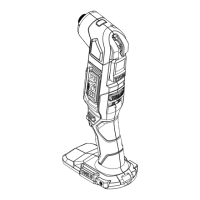
18V BRUSHLESS ROTARY TOOL
OUTIL ROTATIF SANS BALAIS 18 V
HERRAMIENTA GIRATORIA SIN ESCOBILLAS DE 18 V
PBLRT01
WARNING: To reduce the
risk of injury, the user must read and
understand the operator’s manual
before using this product.
SAVE THIS MANUAL FOR
FUTURE REFERENCE
ADVERTENCIA: Para reducir
el riesgo de lesiones, el usuario debe leer
y comprender el manual del operador
antes de usar este producto.
AVERTISSEMENT :
Pour
réduire les risques de blessures,
l’utilisateur doit lire et veiller à bien
comprendre le manuel d’utilisation avant
d’employer ce produit.
GUARDE ESTE MANUAL
PARA FUTURAS CONSULTAS
CONSERVER CE MANUEL
POUR FUTURE RÉFÉRENCE
INCLUDES: Rotary Tool Console, Premium
Flexible Shaft, Pen Holder, Rotary Tool
Accessories, Wrench, Operator’s Manual
TABLE OF CONTENTS
****************
General Power Tool Safety
Warnings .........................................2-3
Rotary Tool Safety Warnings ...........4-6
Symbols ..............................................7
 Features ..............................................7
Assembly ............................................ 8
Operation .......................................8-12
Maintenance ..................................... 12
Illustrations ..................................14-16
Parts Ordering and
Service ................................Back page
INCLUT : Console de l’outil rotatif, premium
arbre flexible, porte-crayon, rotary tool ac-
cessories, cle, manual del operator
TABLE DES MATIÈRES
****************
Avertissements de sécurité générales
relatives aux outils électriques ........2-3
Avertissements de sécurité relatifs
de l’outil rotatif ................................4-6
Symboles ............................................7
Caractéristiques .................................7
Assemblage ........................................8
Utilisation ......................................8-12
Entretien ...........................................13
Illustrations ..................................14-16
Commande de pièces et
dépannage ....................... Page arrière
INCLUYE: Consola de la herramienta
rotatoria, premium tubo flexible, soporte
de la pluma, rotary tool accessories, llave,
manual del operador
ÍNDICE DE CONTENIDO
****************
Advertencias de seguridad para
herramientas eléctrica ................... 2-3
Advertencias de seguridad de
herramienta rotatoria ..................... 4-6
Símbolos ............................................7
 Características ...................................7
Armado ..............................................8
Funcionamiento ........................... 8-12
Mantenimiento .................................13
Illustraciones .............................. 14-16
 Pedidos de piezas y
servicio .........................Pág. posterior
Question and Answer IconNeed help?

Do you have a question about the Ryobi PBLRT01 and is the answer not in the manual?

Summary

General Power Tool Safety Warnings

Work Area Safety

Guidelines for maintaining a safe and well-lit work environment to prevent accidents.

Electrical Safety

Precautions regarding electrical hazards, including plugs, grounding, and water exposure.

Personal Safety

Tips on staying alert, using protective equipment, and avoiding common hazards during operation.

Power Tool Use and Care

Power Tool Use and Care

Instructions for proper use, maintenance, and care of the power tool to ensure safety.

Battery Tool Use and Care

Guidelines for safe charging, handling, and storage of battery packs to prevent hazards.

Service

Information on servicing the power tool and battery packs by qualified personnel.

Rotary Tool Safety Warnings

Kickback and Related Warnings

Understanding and preventing kickback incidents during tool operation.

Safety Warnings Specific for Grinding and Abrasive Cutting-Off Operations

Specific safety advice for grinding and abrasive cutting operations.

Safety Warnings Specific for Wire Brushing Operations

Precautions to take when performing wire brushing operations.

Additional Safety Rules

Further safety guidelines, including chemical exposure and protective measures.

Symbols

Product Specifications

Details on the tool's specifications, including collet size and speed range.

Features

Highlights of the tool's key features and capabilities.

Assembly

Unpacking

Instructions for unpacking the tool and verifying all included accessories.

Connecting the Pen Holder and Flex Shaft to the Rotary Tool Console

Steps for attaching the pen holder and flexible shaft to the rotary tool console.

Installing;Removing Battery Pack

Procedure for installing and removing the battery pack from the tool.

Quick-Change Collet

Information on the quick-change collet and its compatibility.

Installing;Removing Accessories

Guidance on how to install and remove various accessories using the collet system.

Operation

Using Mandrels

Instructions for using different types of mandrels with accessories.

Balancing Accessories

Tips for balancing accessories to ensure smooth and accurate operation.

Turning the Rotary Tool On;Off

How to operate the power switch to turn the tool on and off.

Selecting the Right Speed

Guidance on adjusting the speed control for optimal performance with different accessories.

Slower Speeds

Recommendations for using slower speeds for specific materials and delicate tasks.

Using a Foot Pedal (Not Included)

Instructions for installing and using the optional foot pedal for speed control.

Operating the Rotary Tool

Detailed steps on how to hold and operate the rotary tool effectively.

Application Speed Recommendations

A chart providing recommended speed settings for various accessories and materials.

Maintenance

General Maintenance

General cleaning and maintenance procedures for the rotary tool.

Tool Components and Figures

Rotary Tool Console

Main body of the rotary tool containing controls and motor.

Speed Control Dial

Component used to adjust the rotational speed of the tool.

On;Off Switch

Controls the power to the rotary tool.

Flexible Shaft

Connects the tool console to the handpiece, allowing for greater maneuverability.

Quick-Change Collet

Device for rapidly changing accessories without tools.

Pen Holder

Accessory for holding the tool in a pen-like grip.

Spindle Lock Button

Button used to lock the spindle for accessory changes.

Key Hole Hanger

Feature for suspending the tool for storage or use.

Tool Hanger

Accessory for hanging the tool on a workbench or other surface.

Accessory Installation Figures

Battery Pack Installation

Illustration showing how to install the battery pack.

Accessory and Collet Figures

Diagrams illustrating various accessories and the quick-change collet system.

Speed Control and Operation Figures

Illustrations of the speed control dial and basic tool operation.

Foot Pedal Figures

Diagrams showing the foot pedal and its connection port.

Service and Support Information

Requesting Service and Parts

Contact information for service, parts, and customer support.

Warranty Information

Details on the product's limited warranty coverage.

Summary

General Power Tool Safety Warnings

Work Area Safety

Guidelines for maintaining a safe and well-lit work environment to prevent accidents.

Electrical Safety

Precautions regarding electrical hazards, including plugs, grounding, and water exposure.

Personal Safety

Tips on staying alert, using protective equipment, and avoiding common hazards during operation.

Power Tool Use and Care

Power Tool Use and Care

Instructions for proper use, maintenance, and care of the power tool to ensure safety.

Battery Tool Use and Care

Guidelines for safe charging, handling, and storage of battery packs to prevent hazards.

Service

Information on servicing the power tool and battery packs by qualified personnel.

Rotary Tool Safety Warnings

Kickback and Related Warnings

Understanding and preventing kickback incidents during tool operation.

Safety Warnings Specific for Grinding and Abrasive Cutting-Off Operations

Specific safety advice for grinding and abrasive cutting operations.

Safety Warnings Specific for Wire Brushing Operations

Precautions to take when performing wire brushing operations.

Additional Safety Rules

Further safety guidelines, including chemical exposure and protective measures.

Symbols

Product Specifications

Details on the tool's specifications, including collet size and speed range.

Features

Highlights of the tool's key features and capabilities.

Assembly

Unpacking

Instructions for unpacking the tool and verifying all included accessories.

Connecting the Pen Holder and Flex Shaft to the Rotary Tool Console

Steps for attaching the pen holder and flexible shaft to the rotary tool console.

Installing;Removing Battery Pack

Procedure for installing and removing the battery pack from the tool.

Quick-Change Collet

Information on the quick-change collet and its compatibility.

Installing;Removing Accessories

Guidance on how to install and remove various accessories using the collet system.

Operation

Using Mandrels

Instructions for using different types of mandrels with accessories.

Balancing Accessories

Tips for balancing accessories to ensure smooth and accurate operation.

Turning the Rotary Tool On;Off

How to operate the power switch to turn the tool on and off.

Selecting the Right Speed

Guidance on adjusting the speed control for optimal performance with different accessories.

Slower Speeds

Recommendations for using slower speeds for specific materials and delicate tasks.

Using a Foot Pedal (Not Included)

Instructions for installing and using the optional foot pedal for speed control.

Operating the Rotary Tool

Detailed steps on how to hold and operate the rotary tool effectively.

Application Speed Recommendations

A chart providing recommended speed settings for various accessories and materials.

Maintenance

General Maintenance

General cleaning and maintenance procedures for the rotary tool.

Tool Components and Figures

Rotary Tool Console

Main body of the rotary tool containing controls and motor.

Speed Control Dial

Component used to adjust the rotational speed of the tool.

On;Off Switch

Controls the power to the rotary tool.

Flexible Shaft

Connects the tool console to the handpiece, allowing for greater maneuverability.

Quick-Change Collet

Device for rapidly changing accessories without tools.

Pen Holder

Accessory for holding the tool in a pen-like grip.

Spindle Lock Button

Button used to lock the spindle for accessory changes.

Key Hole Hanger

Feature for suspending the tool for storage or use.

Tool Hanger

Accessory for hanging the tool on a workbench or other surface.

Accessory Installation Figures

Battery Pack Installation

Illustration showing how to install the battery pack.

Accessory and Collet Figures

Diagrams illustrating various accessories and the quick-change collet system.

Speed Control and Operation Figures

Illustrations of the speed control dial and basic tool operation.

Foot Pedal Figures

Diagrams showing the foot pedal and its connection port.

Service and Support Information

Requesting Service and Parts

Contact information for service, parts, and customer support.

Warranty Information

Details on the product's limited warranty coverage.

Ryobi PBLRT01 Specifications

General IconGeneral
TypeImpact Driver
Voltage18V
Weight2.3 lbs. (Tool Only)
Battery CompatibilityRyobi 18V One+
Chuck Size1/4 in.
Max TorqueNot Applicable
Battery TypeLithium-ion

Related product manuals