17
• Two options are available for measurement frequency
of heart rate, namely ‘Real-time monitoring’ and
‘Automatic measurement.’
• When ‘Real-time Monitoring’ is selected, both the
measurement frequency and power consumption of
the watch will increase and thus shorten the life of
your battery.
10.3.6 SETTING UP AUTOMATIC STRESS MONITORING
Open the App, in the ‘Device’ menu, tap on ‘Health’. Tap
on ‘Stress Monitoring.’
• To enable stress monitoring, slide the button next to
‘Stress Monitoring’ to the ON position.
• To enable high stress alert, slide the button next to
‘High Stress Reminder’ to the ON position.
Follow the instructions to complete the remaining
settings to complete the reminder. Tap on ‘
’ in the
upper right to confirm.
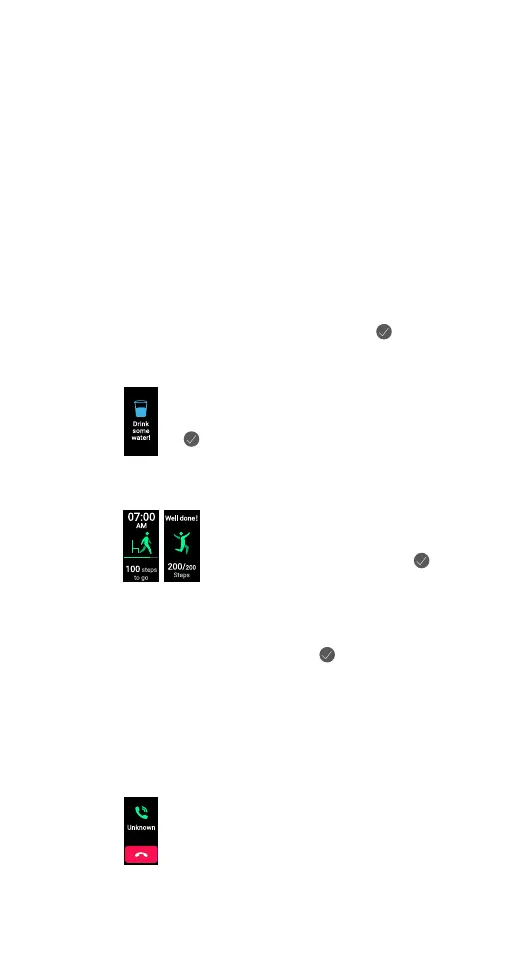
10.3.7 SETTING UP A DRINKING REMINDER ON YOUR WATCH
In the ‘Device’ menu, tap on ‘Health’. Tap on
‘Drinking Reminder.’ Follow the prompts to
complete the settings for the reminder. Tap on
‘
’ in the upper right to confirm.
10.3.8
SETTING UP A WALK-AROUND REMINDER ON YOUR
WATCH
In the ‘Device’ menu, tap on ‘Health’.
Tap on ‘Walk-Around Reminder.’ Follow
prompt instructions to complete the
settings for the reminder. Tap on ‘
’ in
the upper right to confirm.
10.3.9 SETTING UP A MENSTRUAL CYCLE TRACKER
In the ‘Device’ menu, tap on ‘Health.’ Tap on ‘Menstrual
Cycle.’ Follow prompt instructions to complete the
settings for the reminder. Tap on ‘
’ in the upper right to
confirm.
10.3.10 ENABLING INCOMING CALL ALERT ON YOUR WATCH
With the feature enabled, the Ryze Elevate Smart Watch
will receive a notification of incoming call on your
smartphone when the watch stays Bluetooth connected
with the running App. To enable this function, follow the
steps below.
In the ‘Device’ menu, tap on ‘Call Alert.’ In
the sub menu, slide the button next to ‘Call
Reminder’ to toggle the reminder ON or OFF.
Follow prompt instructions to complete the
setting.
Incoming call alert is disabled when the ‘Do
Not Disturb’ mode is enabled.


 To Next Page