74 Instruments and controls
Units and language versions
The SID has four sets of units:
CHECK messages can be displayed in six
language options: English, Swedish,
German, French, Italian and Spanish.
Selecting units and language
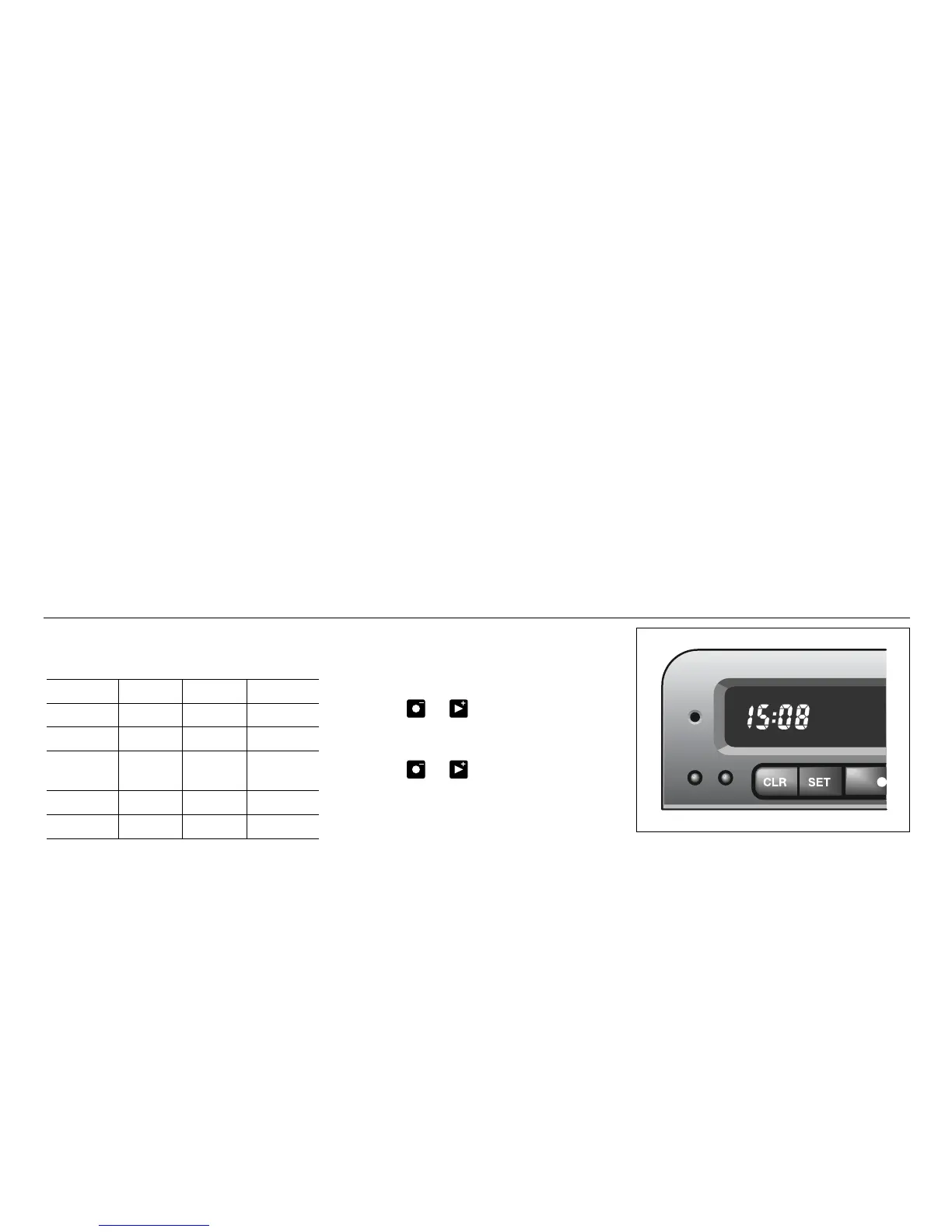
1 Press the CLR and SET buttons at the
same time for 4 seconds until an audible
signal sounds.
2 Press or to select the required
units.
3 Touch SET.
4 Press or to select the required
language.
5 Touch SET.
Clock
Set the clock by means of the two small
buttons under the digital clock on the left of
the display.
When the ignition key is in the OFF position
or removed, the clock can be illuminated
(approx. 10 seconds) by pressing one of
the SID buttons (not the NIGHT PANEL
button).
Programming features, see page 245.
METRIC IMP. 1 IMP. 2 US
km miles miles miles
km/h mph mph mph
litres gallons gallons US
gallons
°C °F °C °F
24 hours 12 hours 12 hours 12 hours
IB1895










 To Next Page