GB GB
46 47
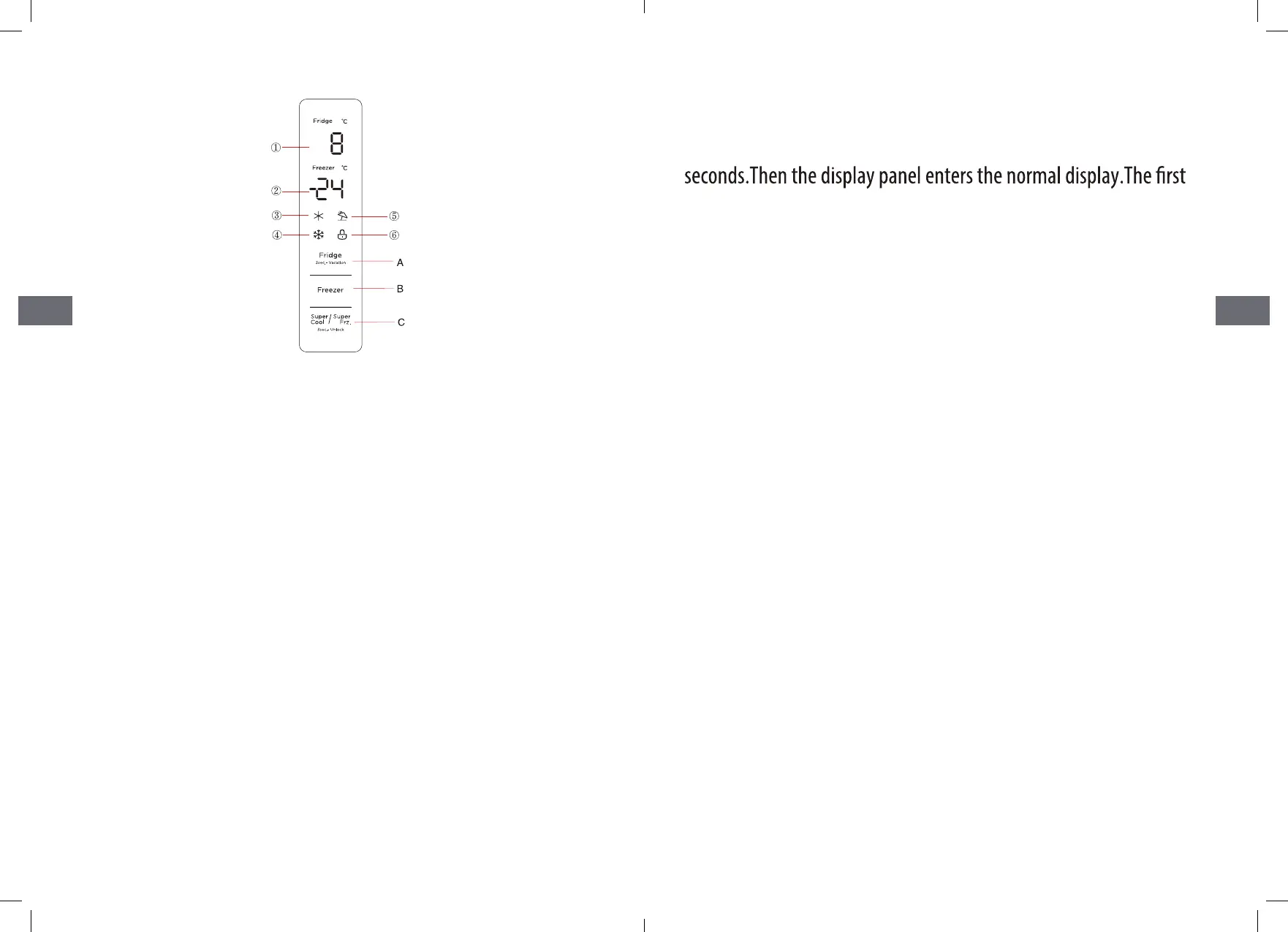
1 Refrigerating chamber temperature display area
2 Freezing chamber temperature display area
3 Quick cool icon
4 Quick freeze icon
5 Vacation icon
6 Lock icon
Functions
Display screen
A. Temperature setting button of refrigerating chamber
B.Temperature setting button of freezing chamber
C. Super cool/super freezing button
Operation button
Display
When power on the refrigerator for the 1st time, the whole display
panel will shine for 3
time for using the refrigerator.the
default sot temperatures of refrigerating chamber, freezing cham-
ber is 5° C/-18 ℃ respectively.
When the error occurs, the display panel shows the error code (see
next page); during normal
running, the display panel shows the set temperature of refrigerat-
ing chamber, freezing chamber.
Under normal running. If there is no operation or opening door
action within 30s, the display panel
will be locked.the light of display panel will go out after the locked
state(2)continued for 30s.
Lock /unlock
In the non-locking state, press and hold the super-cool/super-freez-
er button for 3 seconds to enter the locked state and the lock buzzer
will sound.
In the locked state, press and hold the super-cool /super-freezer
button for 3 seconds to enter the unlocked state and the unlocking
buzzer will sound.
After 30 seconds of no button operation, it will automatically enter
the locked state, and the external display board with a music buzzer
will sound the lock buzzer at the same time.


 To Next Page