PROGRAMMING MACHINE FUNCTIONS
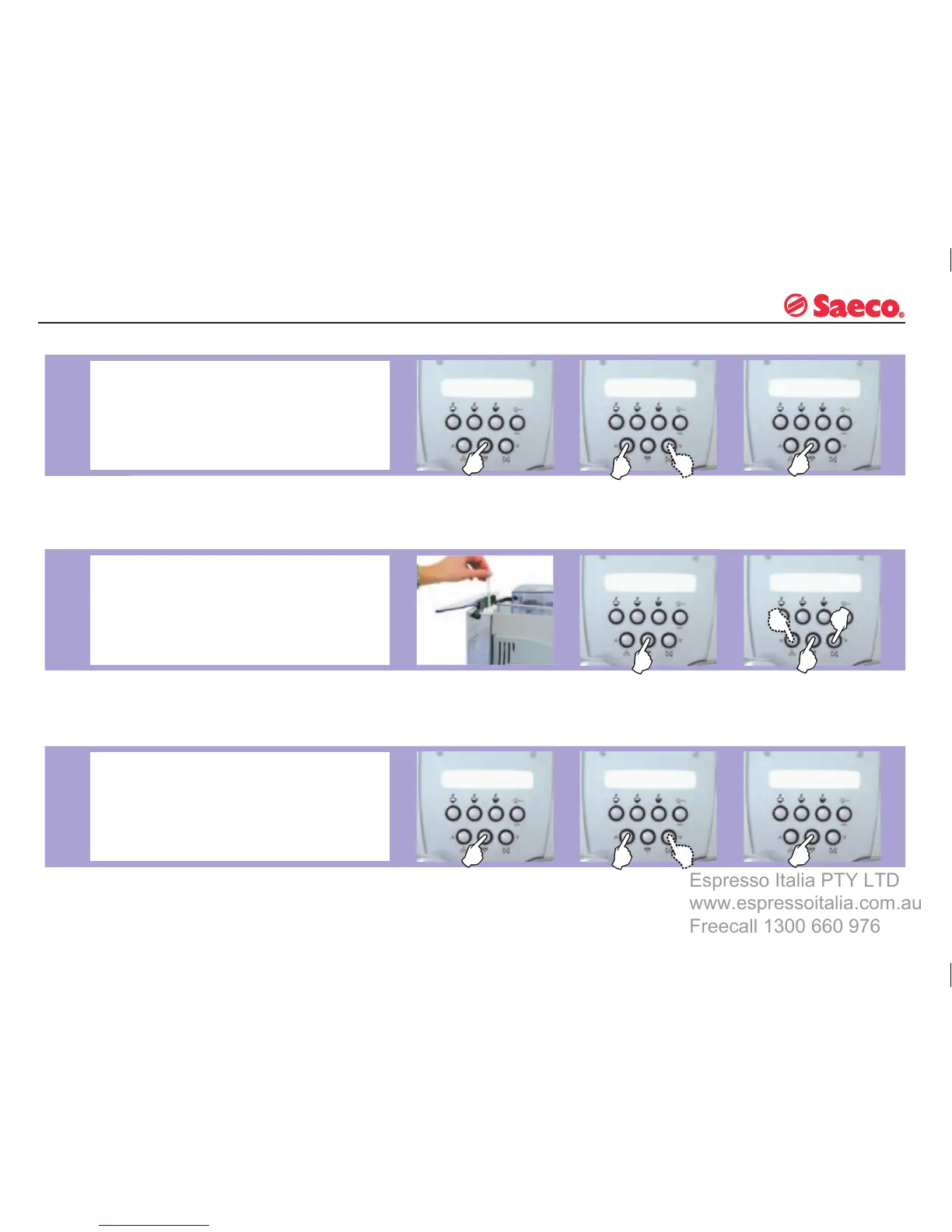
LANGUAGE
This function allows you to change the display language.
You can choose among Italian, German, Portuguese,
Spanish, English, French, Dutch, Polish and Swedish. The
appliance is usually programmed on the language of the
country in which it is sold.
Dip
the strip in water for 1
second.
Check
how many squares
change colour.
WATER
HARDNESS
The appliance is factory set on a hardness value of 3. The
setting should be adjusted according to the level of water
hardness in the local area.
The
hardness of tap water may vary depending on the
region. For this reason, the appliance can be set according
to the water hardness in the place where it is to be used,
expressed on a scale of 1 to 4.
Select
the desired lan-
guage.
Select
the corresponding hardness
(e.g. 2 squares = Hardness 2) and
memorize the value by pressing
the “OK” button.
When
the function ap-
pears, select it using the
“OK” button.
When
the function appears,
select it using the “OK”
button.
Press
the “OK” button to
confi rm your choice.
WATER FILTER
This function must be activated when the “Aqua Prima”
cartridge fi lter is installed for the fi rst time.
The “RESET” command must be activated every time a new
cartridge fi
lter is installed.
This function enables optimal management of the “Aqua
Prima”
fi lter as it warns the user when the fi lter needs
replacing.
When
the function ap-
pears, select it using the
“OK” button.
From
the menu it is possible
to set the function to ON.
Press
the “OK” button to
confi rm your choice.







 To Next Page