39
ENGLISH
39
3
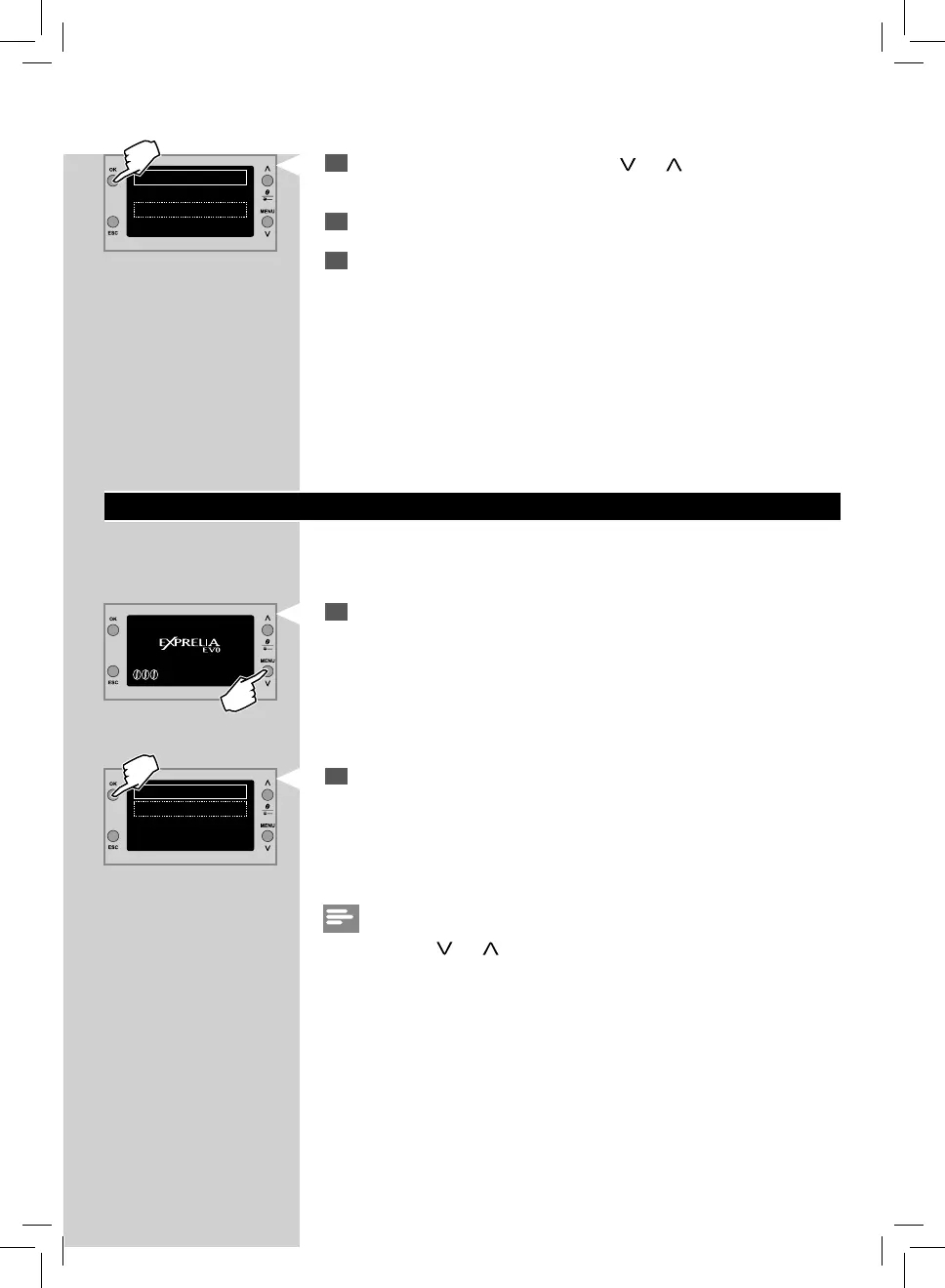
After selecting STEAM by pressing the “ ” or “ ” scrolling button,
con rm with “OK”.
4
Steam is dispensed.
5
Immerse the hot water/steam wand in the product to be heated. The
dispensing can be stopped earlier by pressing the ”ESC” button.
BEVERAGE PROGRAMMING
You can program the machine to optimize the co ee taste to your personal
preferences. For each beverage it is possible to customize the settings.
1
Press the “MENU” button to access the machine main menu.
Note:
By pressing the “
” or “ ” scrolling button, and con rming with “OK” you
can choose the option of your choice.
MENU
BEVERAGE MENU
MACHINE MENU
SPECIAL BEVERAGES
HOT WATER
STEAM
2
Press the “OK” button to access the BEVERAGE MENU.



 To Next Page