EasyManua.ls Logo

Saeco INCANTO HD8915 - User Manual

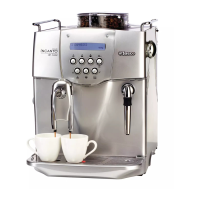
Saeco INCANTO HD8915
27 pages
Print Icon
To Next Page IconTo Next Page
Loading...
INCANTO
HD8918, HD8917
HD8916, HD8915
EN USER MANUAL
DE BENUTZERHANDBUCH
ES MANUAL DEL USUARIO
FR MODE D’EMPLOI
IT MANUALE UTENTE
NL GEBRUIKSAANWIJZING
4219.460.3598.2 HD8918,17,16,15 SAECO_INCANTO OTC_WE_COVER_A5_FC.indd 1 09-01-17 10:32

Other manuals for Saeco INCANTO HD8915

Questions and Answers

  • J
    Joseph WhiteAug 16, 2025
    What to do if my Saeco Coffee Maker does not switch on?
    • T
      Thomas JonesAug 16, 2025
      If your Saeco Coffee Maker doesn't switch on, check if the mains cord is correctly inserted. Also, ensure that the main switch is in the 'on' position (I). If the issue persists, try switching the machine off and then on again using the main switch located on the back.
  • J
    Jessica LopezAug 18, 2025
    What to do if there is water under my Saeco INCANTO HD8915?
    • J
      james00Aug 18, 2025
      If you notice water under your Saeco Coffee Maker, it's likely that the drip tray is too full and has overflowed. Make sure to empty the drip tray when the 'drip tray full' indicator pops up.
  • K
    Kevin BrownAug 21, 2025
    Why is coffee leaking from the dispensing spout of my Saeco INCANTO HD8915 Coffee Maker?
    • I
      Ian SextonAug 21, 2025
      If coffee is leaking from the coffee dispensing spout of your Saeco Coffee Maker, the spout is likely dirty. Clean the coffee dispensing spout and its holes using a pipe cleaner.
  • A
    Amanda WangAug 25, 2025
    Why does coffee come out slowly from my Saeco INCANTO HD8915 Coffee Maker?
    • L
      Laura WrightAug 25, 2025
      If the coffee comes out slowly from your Saeco Coffee Maker, the coffee exit duct may be blocked. Clean the coffee exit duct.
  • S
    Shannon ReedAug 27, 2025
    Why does the 'coffee grounds container full' icon stay on my Saeco INCANTO HD8915?
    • V
      Veronica SchneiderAug 27, 2025
      The 'coffee grounds container full' icon might remain displayed on your Saeco Coffee Maker because the coffee grounds container was emptied while the machine was switched off. Always empty the coffee grounds container while the machine is switched on to reset the coffee cycle counter. If you empty it when the machine is off, the message will persist even if the container is empty.
  • B
    beckertamaraAug 30, 2025
    Why is the coffee from my Saeco INCANTO HD8915 watery or has too little crema?
    • W
      William MillerAug 30, 2025
      If the coffee from your Saeco Coffee Maker is watery or has too little crema, it could be due to the grinder being set too coarse. Adjust the grinder to a finer setting. Alternatively, the coffee blend you are using might not be suitable, so try changing the coffee blend.
  • M
    Michael JohnsonSep 2, 2025
    Why does the drip tray fill up so quickly in my Saeco Coffee Maker?
    • T
      Thomas DaltonSep 2, 2025
      It is normal for the drip tray to fill up quickly in your Saeco Coffee Maker. The machine uses water to rinse the internal circuit and brew group, and some of this water flows directly into the drip tray. You can place a cup under the dispensing spout to collect rinsing water.
  • M
    melinda17Sep 5, 2025
    How to make coffee hotter with my Saeco Coffee Maker?
    • J
      judy55Sep 5, 2025
      If your coffee is not hot enough when using your Saeco Coffee Maker, set the temperature to 'high' in the menu. Also, preheat your cups by rinsing them with hot water before brewing.
  • J
    jamesericksonSep 8, 2025
    Why is the frothed milk too cold from my Saeco INCANTO HD8915?
    • G
      gaineskennethSep 9, 2025
      If the frothed milk is too cold when using your Saeco Coffee Maker, it might be because the cups are cold. Preheat the cups with hot water before frothing the milk.
  • D
    Diane GonzalesSep 12, 2025
    What to do if I cannot activate the AquaClean filter on my Saeco Coffee Maker?
    • A
      Amy SimsSep 12, 2025
      If you cannot activate the AquaClean filter and the machine asks for descaling, it may be because you have already replaced the AquaClean filter 8 times. Descale your machine first, then install the AquaClean filter. Remember to always activate the AquaClean filter in the menu, especially when replacing the filter.

Summary

Machine overview and introduction

Initial machine setup and AquaClean filter

First installation guide

Guide for initial setup and first use of the coffee machine.

AquaClean filter benefits and activation

Filter to reduce limescale and improve coffee flavor; steps to activate it.

Replacing the AquaClean filter

Control panel and display explained

Brewing coffee instructions

Special drinks and hot water dispensing

Brewing milk-based beverages and froth

How to prepare beverages like Cappuccino and Latte Macchiato.

Adjusting beverage volume and taste

Adjusting coffee and milk volume

Set preferred volumes for coffee and milk in beverages.

Adjusting coffee strength

Adjusting grinder settings for coffee

Cleaning and maintenance schedule

Cleaning the brew group

Cleaning brew group under tap

Specific steps for cleaning the brew group under running water.

Brew group cleaning with tablets

Cleaning the milk carafe system

Thorough cleaning of the milk carafe

Detailed steps for cleaning the milk carafe and its parts.

Descaling procedure for the machine

Warning icons and error codes explained

Meaning of error codes and solutions

Troubleshooting common machine problems

Saeco INCANTO HD8915 Specifications

General IconGeneral
Coffee bean container capacity250 g
Water tank capacity1.8 L
Pump pressure15 bar
Power1850 W
Built-in grinderYes
Adjustable grinder settingsYes
Hot water dispenserYes
Removable brewing unitYes
Removable water tankYes
Removable drip trayYes
ColorBlack
ProgrammableYes
Cup WarmerYes
Adjustable Coffee StrengthYes
Adjustable Coffee TemperatureYes
Adjustable Milk FrothYes
TypeEspresso Machine
Milk frotherYes
DisplayLCD
Product TypeEspresso Machine
Dimensions21.5 x 43 x 33 cm

Related product manuals