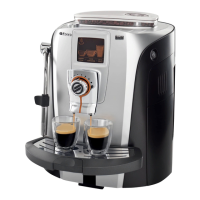
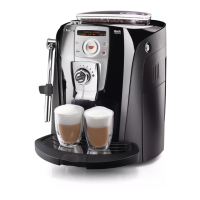
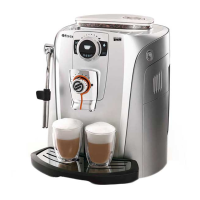
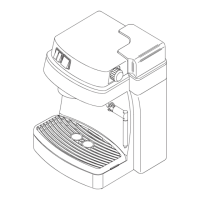
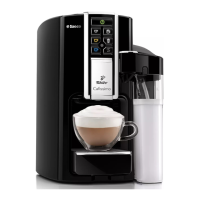
The Talea Touch Plus is an advanced espresso machine designed for home use, offering a blend of automated features and customizable settings to deliver a personalized coffee experience. Its primary function is to brew fresh espresso, but it also provides steam and hot water for other beverages, such as lattes and teas. The machine is designed for ease of use, featuring a prominent touch screen display that guides users through various operations and settings.
Usage Features:
The machine's operation begins with a straightforward setup process. Users first fill the water tank, which includes installing an Intenza water filter to ensure water quality. The water tank is easily removable for refilling and cleaning. Next, the coffee bean hopper is filled with whole espresso beans. The hopper has a lid that needs to be opened and closed, and it's designed to hold a sufficient quantity of beans for multiple servings. For those who prefer pre-ground coffee, the machine includes a pre-ground bypass doser, offering flexibility in coffee selection.
Once the water and beans are loaded, the power cord is attached, and the machine is plugged into an outlet. The initial startup involves priming the water circuit. This is an automated process where the machine performs a rinsing cycle, dispensing a small quantity of water into a container placed under the dispensing head. This ensures the internal water lines are clean and ready for brewing. The machine indicates when this cycle is complete, signaling its readiness to brew.
Brewing espresso is a simple, one-touch operation. Users place a cup under the dispensing head and select a brew button from the touch screen. The machine then grinds the beans, tamps the coffee, and extracts the espresso. The touch screen display is central to the user experience, providing visual feedback and access to various functions. It features icons for different cup sizes (small, medium, large), allowing users to select their desired espresso volume. There's also a dedicated steam icon, which activates the steam/hot water wand for frothing milk or dispensing hot water.
The touch screen offers several customizable settings. Users can switch the display screen between image and text formats, depending on their preference. The screen also displays the current time and provides access to a clock menu for time adjustments. A "Menu Icon" grants access to the programming menu, where more advanced settings can be configured. The "explain icons" feature helps users understand the meaning of various symbols on the display.
A unique feature of the Talea Touch Plus is the SBS Dial (Saeco Brewing System). This dial allows users to adjust the intensity and crema of their espresso, providing a personalized brewing experience. By turning the dial, users can fine-tune the brewing parameters to achieve their preferred taste and texture.
The machine is equipped with a sliding wheel base, which makes it easy to move the unit for cleaning or repositioning on a countertop. This thoughtful design element enhances the machine's practicality in a home environment.
Maintenance Features:
Regular maintenance is crucial for the longevity and performance of the Talea Touch Plus. The machine incorporates several features that simplify this process. The used grounds container, also known as the dregdrawer, collects the spent coffee pucks after each brew. This container is easily removable for emptying and cleaning. The adjustable drip tray collects any drips or spills, keeping the countertop clean. It can also be removed for cleaning.
The water tank, as mentioned, is designed for easy removal, facilitating both refilling and thorough cleaning. The installation of the Intenza water filter is a key maintenance step, as it helps prevent scale buildup and ensures the quality of the water used for brewing.
While the manual emphasizes the quick start guide, it also advises users to read the entire user manual for a comprehensive understanding of the machine's operation and maintenance. This suggests that there are more detailed cleaning procedures and troubleshooting tips available in the full manual. The machine's design, with easily accessible and removable components like the water tank, dregdrawer, and drip tray, indicates a focus on user-friendly maintenance. The automated rinsing cycle during startup also contributes to maintaining internal cleanliness.



 To Next Page
 General