INTEGRA/-S/-G/-GS User Manual INSTALLATION
SAF Tehnika JSC
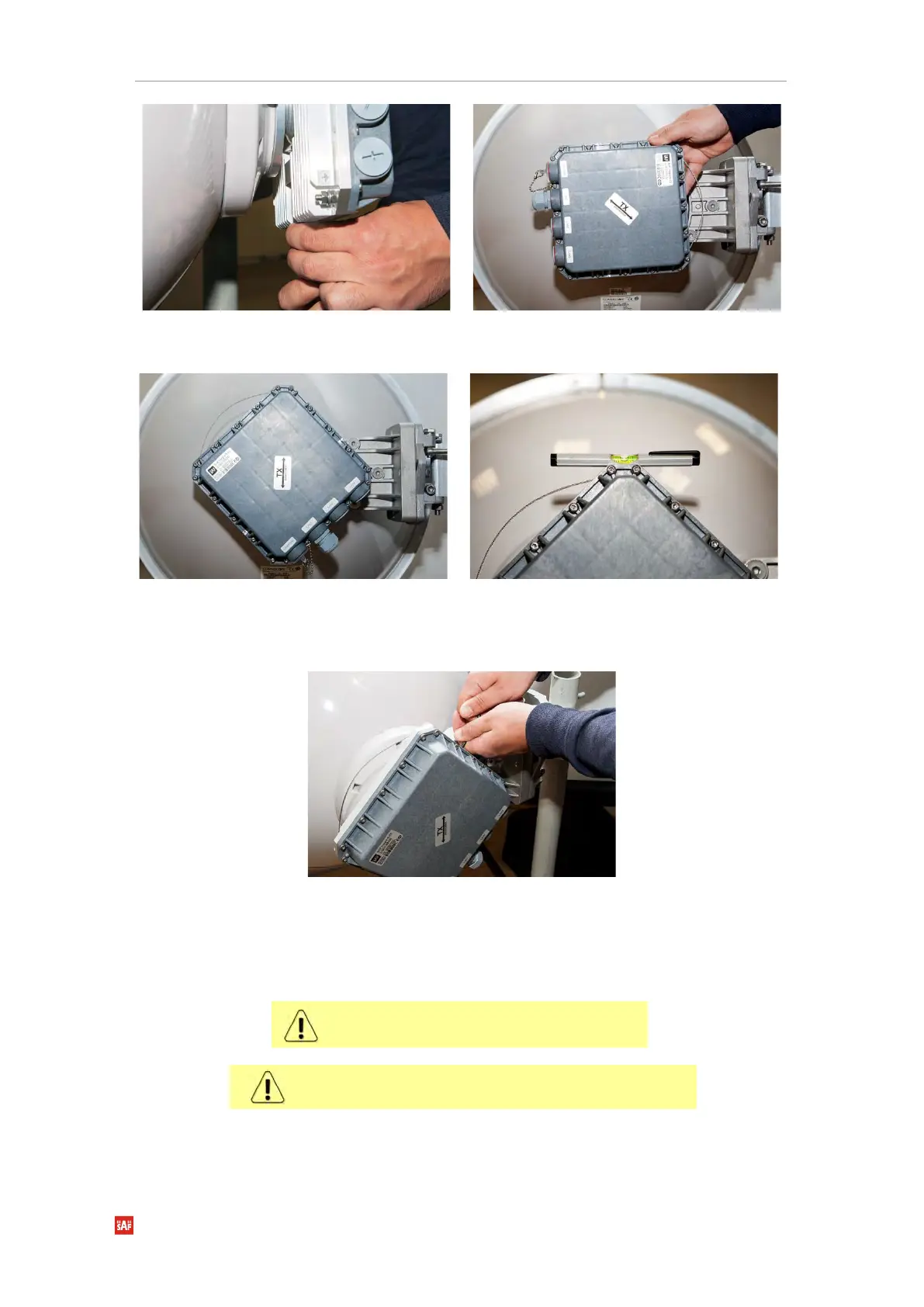
Secure the interconnection by tightening the
bottom clamp (not fully). Make sure rotation
of the Integra-S/Integra-GS is still possible.
Rotate Integra-S/Integra-GS to match the
required polarization.
The sticker on the back lid indicates the
polarization of the Integra-S/Integra-GS.
Adjust polarization so that the interface ports
are located at the lower side of the Integra-
S/Integra-GS.
Verify polarization accuracy with a level, by
placing it on the top edge of the Integra-
S/Integra-GS housing
Secure the position of Integra-S/Integra-GS by
fully tightening both fixation clamps.
* Integra-S/Integra-GS 15/18/17/23/24/26/32/38/42GHz are separate FODU models
It is recommended to protect the installed radio from
direct sunlight.
The default polarization for licensed frequency band radios is
vertical.


 To Next Page
 Loading...
